How to run Project Brutality/Brutal Doom on Steam for Windows! (UPDATED)
GHub Platform · Гайд · 0 ответов · 21 просмотр
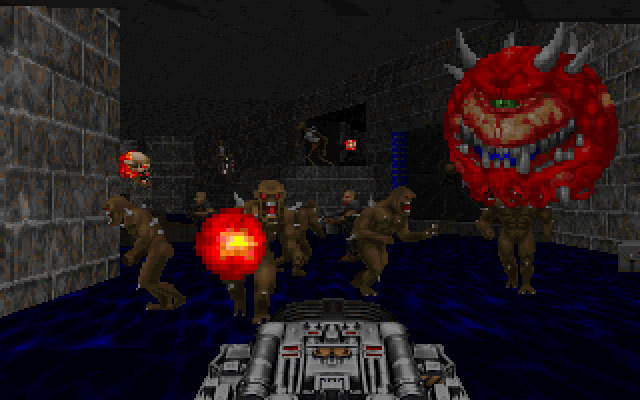
What you will need ▂▂▂▂▂▂▂▂▂▂▂▂▂▂▂▂▂▂▂▂▂▂▂▂▂▂▂▂▂▂▂▂▂▂▂▂▂▂▂▂▂▂▂ Project Brutality (For GZDoom only)* Project Brutality 3.0 (most recent version is 3.0 located here [github.com] . Latest GZDoom v4.5.0 here [zdoom.org] Doom WAD files and folders * - note that you will need to run either Brutal Doom or Project Brutality, you cannot run both otherwise you will come across crashes ▂▂▂▂▂▂▂▂▂▂▂▂▂▂▂▂▂▂▂▂▂▂▂▂▂▂▂▂▂▂▂▂▂▂▂▂▂▂▂▂▂▂▂ This is the updated guide from the guide that was created for the older versions: here Have Doom purchased through Steam. Download the latest version of Project Brutality (currently 3.0) Download the latest version of GZDoom (currently 4.5.0) Install Doom then locate the folder in explorer ( Steam/steamapps/common/ (Doom) Open the GZDoom 7zip file you downloaded [e.g. gzdoom-4-5-0-Windows-64bit.zip] Open /base folder (if you are in the Master Levels of Doom folder you will not see a /base folder. That's ok, just apply the following steps below in that folder -- as if you are treating it like it's a /base folder) Copy all files from the GZDoom zip folder to your Steam Doom /base folder Delete dosbox.exe, then rename gzdoom.exe to dosbox.exe Go to the GitHub Repository for Project Brutality 3.0 in the "Getting Started" Section Click on the Green Button that is labeled as "Code" Download as ZIP Once downloaded, rename "Project_Brutality-master.zip to "Project_Brutality-master.pk3 (it's important that you have File Name Extensions checked; in File Explorer, click the Ribbon dropdown > Go To View tab > Under Show/hide section > Make sure the "File Name Extentions" checkbox is enabled/checked) Copy/Move "Project_Brutality-master.pk3 over to the ' /base ' folder located within the doom steam folder Run the game once to have the gzdoom-(YourPCUserNameHere).ini created automatically. Open the 'gzdoom-(YourPCUserNameHere).ini' and scroll down to where you see [doom.Autoload] *NOTE: If the .ini file is not in this folder once you have launched the dosbox version of GZDoom, then it might be located in the following path: Documents»My Games»GZDoom . It may simply be named: gzdoom.ini (without your username). Type or Copy/Paste Path=Project_Brutality-master.pk3 right under [doom.Autoload] or [doom.id.doom2.Autoload] if the autoload doesn't work for doom Rinse and repeat for however many Doom games you want to apply this to (The Ulitmate Doom, Doom II, Final Doom, and Master Levels of Doom) "Play" Doom through Steam and you will have Brutal Doom automatically loaded Enjoy * - note (again) that you will need to run either Brutal Doom or Project Brutality, you cannot run both otherwise you will come across crashes --- Источник: https://steamcommunity.com/sharedfiles/filedetails/?id=478270135
ИсточникGHub Platform · автор25.08.2026, 15:10:24
What you will need ▂▂▂▂▂▂▂▂▂▂▂▂▂▂▂▂▂▂▂▂▂▂▂▂▂▂▂▂▂▂▂▂▂▂▂▂▂▂▂▂▂▂▂ Project Brutality (For GZDoom only)* Project Brutality 3.0 (most recent version is 3.0 located here [github.com] . Latest GZDoom v4.5.0 here [zdoom.org] Doom WAD files and folders * - note that you will need to run ei…
Войдите, чтобы писать в группе