Giants V1.5 || Fullscreen fix, Mouse fix, Multiplayer, Misc.
GHub Platform · Гайд · 0 ответов · 11 просмотров
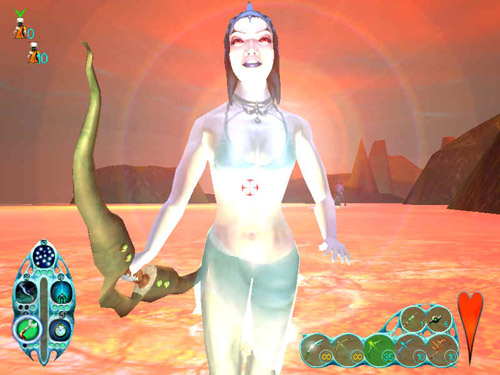
Download & Information [PL] Guide Here's a link that will always point to the most current update of the patch: https://hipstercat.fr/GPatch You can also grab a manually updated version from: GiantsWD Downloads [www.giantswd.org] and use the automatic update function to upgrade to the most current release. The patch is still being updated regularly. Make sure you use the launcher exe that comes with the patch instead of steam to launch the game. Also make sure you check the options in the launcher to see if automatic updating is checked! Note that your current savegame progress will be lost after updating the game. To get access to all missions open the chatbar with T while playing and type: allmissionsaregoodtogo This unlocks all missions. (Some multiplayer maps will also show up in the load game screen, ignore those). We generally advise to update a clean installation of the game to rule out any possible issues. Navigate the forums to find information about the patch and its creation or visit the GCK Community Discord [discord.gg] Installation Make sure you have at least Windows 7 installed and that it has been updated to the latest version. Make sure you have not modified your gamefiles in any way before installing the patch. Do a clean installation of the game if you are unsure which files, if any, you modified. Check if the patch installer wants to install the files in the correct location! C:\Program Files (x86)\GOG Galaxy\Games\Giants - Citizen Kabuto C:\Program Files (x86)\GOG .com\Games\Giants - Citizen Kabuto C:\Program Files (x86)\Steam\steamapps\common\Giants Citizen Kabuto If you get an error, check if [.NET Framework 4.7.2] is installed. Check Microsoft websites for help. Some Antivirus might not like the patch. Mark the file as safe, let it get scanned or disable your antivirus. After Installation Make a shortcut to desktop of Giants.exe in your Giants game folder. Use this new shortcut to launch the game from to use the new launcher. This will ensure automatic updating. To be able to download maps from a server, make sure that your user account has write permissions to the game folder (specifically the Bin\Worlds folder). Alternatively you can move it to a directory that doesn't have limited write permissions. If you are unable to do this, running the game in Administrator mode should circumvent this issue. You may need to install/reactivate the Windows Legacy DirectPlay program. https://steamcommunity.com/sharedfiles/filedetails/?id=1391376189 This should cover most situations. For any further questions, join the community discord here: GCK Discord [discord.gg] How to join a game. After you've followed all relevant steps in the guide above. Launch the game and select Join Multiplayer Game from the menu. Then click Search Internet and LAN for Games. If you have done everything correctly, you will see our servers. In bottom right corner of the screen it should display your current version Connection issues If nothing else worked and you still can't see the server list, try connecting through a VPN. We've had people from the UK who couldn't connect having Virgin Media as their ISP, for instance. Here's a free, sufficient one: https://windscribe.com/ Before Hosting You are required to have port 19711 UDP forwarded. Consult your Router manual or google how to do this. This is different for every model/type/provider. Here is a list of commands you can use on your server: https://www.giantswd.org/?file=9 Non Dedicated Server Launch the game normally. Select Host Multiplayer Game. This will open up the server menu for you. In the column to the right you will be able to change the server name, gametype, map and a selection of other settings. It is important that the game is open and on the foreground of any other programs at all times. The server will become invisible otherwise, and people already playing will freeze and disconnect. Dedicated Server First and foremost, to host a dedicated server & play on it at the same time, you will need a second machine running the server. Run dedicated.exe found in your \Giants installation folder. Opening it will prompt you with a setup screen. here you can preset the maps, weapons,buildings available, etc. After you have made your preset for the server, save it. Make sure you save the .gdf file in the \Bin folder of the game. Also make sure that the game itself has been installed correctly. (Check if the registery entries are pointing to the correct location). The location will depend on what version (i.e. Steam, Gog, Disks) you are using. You can then Launch via the dedicated.exe app that you should still have open at this time. This will open a usually green colored window. Your server should now be running and visible to all people. It is important that the server window is open and on the foreground of any other programs at all times. The server will become invisible otherwise, and people already playing will freeze and disconnect. This is also why you need to have it running on a seperate machine from the one you play on. Now launch the game on your second machine, and join your own server. You can press the F1 button on your server machine to prompt the ingame option menu and change settings. Mouse speed/Fps fix Some people experience issues with their mouse movement. This is likely caused by extreme variations in the FPS. Open the chatbar ingame by pressing T and fype fr to display your framerate. If it goes crazy while looking around you will need to put a hard limit on your FPS. If you are using the new launcher that comes with the patch. (Launching the game directly from the .exe instead of Steam). Enabling VSync should stop your mouse from glitching. Alternatively, you can force the game to run at a certain framerate. Find the launcher executable -> right click -> properties -> shortcut. Find the "target" box and add -framelimit 60 (or any preferred number). Launch the game and check if the issue has been resolved. Example: "C:\Program Files (x86)\GOG Galaxy\Games\Giants - Citizen Kabuto\Giants.exe" -framelimit 60 Giants Registery Fix Consult other members if you are unsure what to do. Giants Registery Fix [github.com] PC Gaming WIki Detailed technical specifications and information. GCK Wiki [pcgamingwiki.com] Can I have other patches installed alongside V1.5? No. V1.5 is all you need now. You can safely update any previous version. Make sure you have not added any modified files to the game before you update! I'm reading conflicting messages about a V1.497 patch, what is this? V1.497 is an older patch used for over a decade to be able to play online. Because this is such an ancient version, there will be older posts and guides online that are not being update anymore and will forever point to an older version of the game. If you find any, tell us so we can see if we can edit it or find the original author! Which version of the game should I get? Steam? GOG? CD? It doesn't matter which version you use. All Giants versions can safely be updated to V1.5 Are there any mods/modding attempts for the game? Yes and no. Some community members are able to mod specific aspects of the game to create a different experience of the game, like an AI boss or Instakill gamemodes. To change any of the core game mechanics, you would need the sourcode, the experience and the tools to work with it. Aside from a few people being able to create patches they cannot share these tools because of copyright protection. Giants is not abandonwar e. The servers are empty, where are all the players? Don't expect the servers to be full 24/7 in a game this old! It is normal for them to be empty; here you have to announce that you want to play and gather other players. Nobody is going to sit and wait on the servers for someone to join. Getting people to play with you requires a pro-active stance and some effort from your side. Joing Discord to find players more easily GCK Community Di
ИсточникGHub Platform · автор26.08.2026, 00:24:33
Download & Information [PL] Guide Here's a link that will always point to the most current update of the patch: https://hipstercat.fr/GPatch You can also grab a manually updated version from: GiantsWD Downloads [www.giantswd.org] and use the automatic update function to upgra…
Войдите, чтобы писать в группе