FDDBViewer - browse and edit your FD 27 database
GHub Platform · Гайд · 0 ответов · 18 просмотров
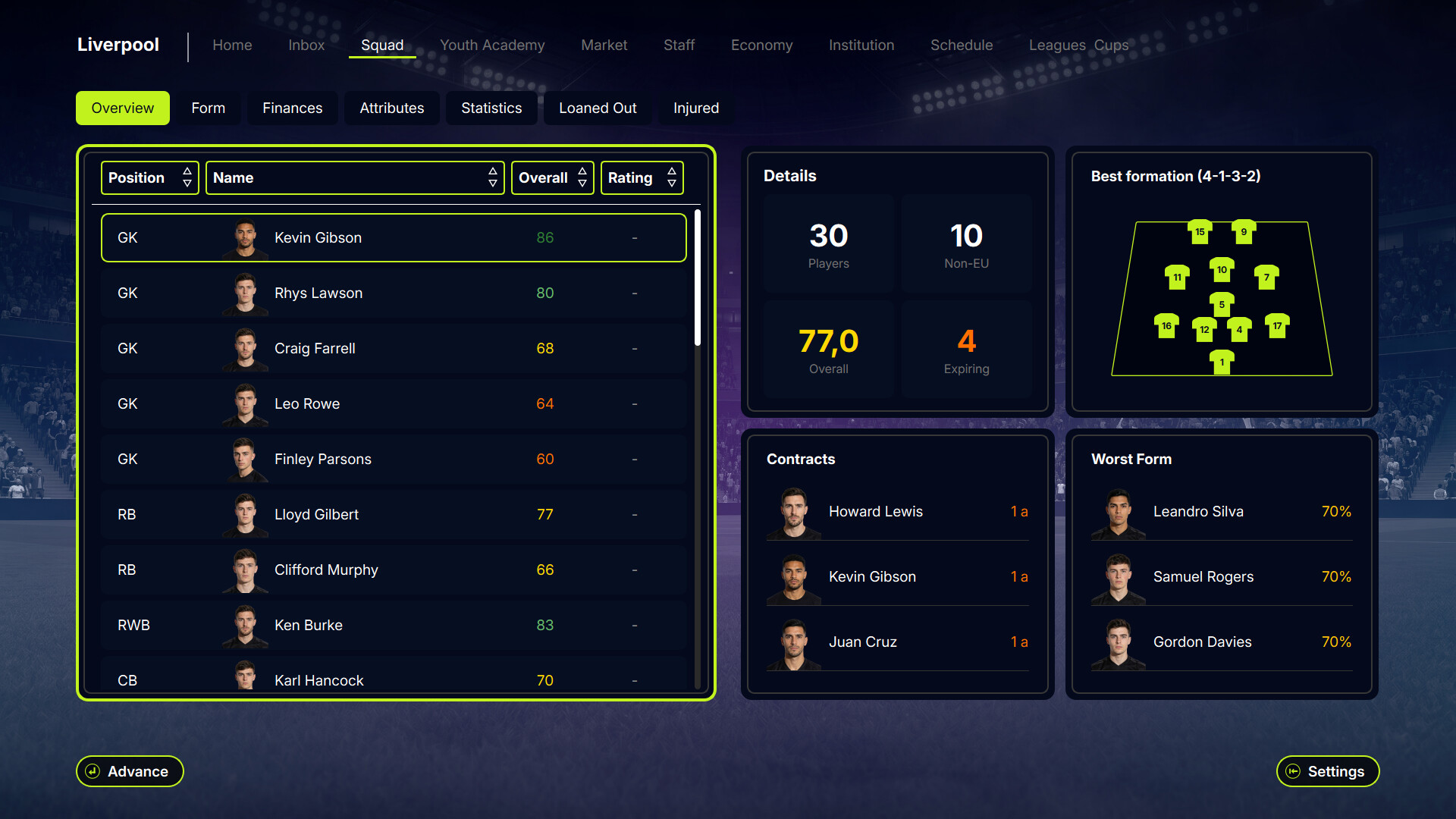
FDDBViewer is a free companion app for FD 27. It's a standalone desktop tool that lets you browse and edit your leagues, clubs, players, and staff. All through some of the game's own screens. Browse like you're in the game The left sidebar lists every country → league → club. Click through to a club and you'll see its real squad screen. Click a player or staff member and you get their actual profile page. This is the game's own front-end, rendered live with your data. Search Hit the Search button in the toolbar to filter players by name, position, or league, and clubs/staff by name or league. All in one place, across your whole database. Edit players Select a player and click Edit to open the editor panel, split into three tabs: Bio : name, date of birth, nationality, preferred foot, height/weight, position, shirt number, role, key player/youth flags, caps. Attributes : all 1–99 attributes, with the overall rating (OVR) recalculating live as you adjust sliders. Contract : market value, wages, contract dates, release clause. Hit Save and it's written straight to your working database. Edit clubs General tab covers name, founding year, reputation, stadium, and capacity. Finances tab covers bank balance, transfer budget, wage budget, income, debts, and club value. Edit staff Same as players, bio, role-specific attributes, and contract details for every staff role in the game (scouts, coaches, medical staff, directors, and more). Create new entries The "+ New" menu in the toolbar lets you add a brand new league, club, player, or staff member from scratch, allowing for expanding the game world or filling out a squad. Currently league and clubs aren't very useful since the game doesn't allow for more leagues to be added so you can never play them. But it allows to have a "bigger" world and have many more clubs and players, if you're looking for that. Logo Importer If you have a Graphics folder for a very known game within the genre, point FDDBViewer at its Graphics/Logos folder and it'll match your clubs to their badges and copy them in automatically, at all three sizes the game needs. Settings If you move your FD 27 install, open Settings and repath FDDBViewer at the new folder. Every other path is re-derived automatically. The app is a single executable built with a tool called Nuitka, which bundles Python and all its dependencies into one file. To run, it briefly extracts those components into a temporary folder — this is normal for this type of packaging, but some antivirus software flags the behaviour as suspicious because it resembles how certain malware works. The AV is reacting to the packaging method, not to anything the app actually does. It is a false positive. To run it anyway: Windows Defender: click "More info" → "Run anyway" Other AVs: look for an "Allow" or "Trust" option, or add the file to your exceptions list While the app is running, it extracts its files to a temporary folder at %appdata%\Local\Temp\ and look for a folder starting with onefile_. That folder is created on launch and deleted when you close the app. If your antivirus is blocking it, you can add that Temp folder (or just the specific onefile_* folder) to your AV exceptions. Nothing is installed permanently anywhere. FDDBViewer only ever reads and writes your custom.db , stored under Documents\FD 27\user_data\database. Every edit you make to players, clubs, staff, new entries, logos, all goes straight into that file, and nothing else. The first time you launch FDDBViewer, it checks whether you already have a custom.db. If you do, it'll ask whether to keep it or start fresh from the game's catalog. Starting fresh overwrites your existing custom.db . If you've already made changes, or have progress you care about, back up your custom.db (and your in-game save) before running FDDBViewer for the first time, just to make sure that you don't lose any work. Saving in FDDBViewer writes to your custom.db, but FD 27 doesn't watch that file for changes while it's running. To actually see your edits in-game: Launch FD 27, go to Settings → Database , and update/reload the database from there. Close and reopen the game so it re-reads the merged database correctly. This is a limitation on the game's side, right now, merging in your custom data has to be triggered from within FD 27 itself, it isn't picked up automatically. I'm looking at ways to have FDDBViewer handle this step for you in a future update. Windows only. On first launch, just point FDDBViewer at your FD 27 install folder, it will find everything else (the catalog, front-end pages, media, fonts) on its own. If clicking doesn't work, copy and paste into your browser: https://www.dropbox.com/scl/fi/opfcobork5smsplksmxxw/FDDBViewer.exe?rlkey=th3zzkp102ikgzu0klg6lo56r&st=6wlwirgp&dl=0 This is an early tool built for the community, if you run into bugs or have feature requests, drop them below or send me a message. Enjoy! --- Источник: https://steamcommunity.com/sharedfiles/filedetails/?id=3789828636
ИсточникGHub Platform · автор26.08.2026, 02:56:32
FDDBViewer is a free companion app for FD 27. It's a standalone desktop tool that lets you browse and edit your leagues, clubs, players, and staff. All through some of the game's own screens. Browse like you're in the game The left sidebar lists every country → league → club. Cl…
Войдите, чтобы писать в группе