Cossacks - WIN 10 & 11 Fix & Language
GHub Platform · Гайд · 0 ответов · 26 просмотров
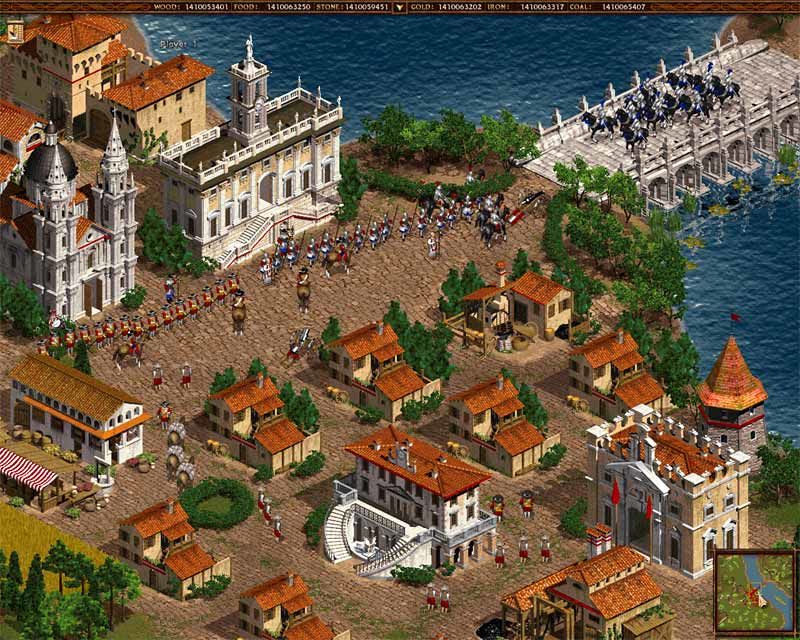
** UPDATE 06/15/2026 - No need to modify anything now, the game will launch itself after a clean Steam Installation. ** BUT, if you want to launch it in windowed mode or unlock lot of modern resolutions, you can download : "cnc-ddraw.zip", Here : https://github.com/FunkyFr3sh/cnc-ddraw/releases/tag/v7.1.0.0 And now inside the game's folder you can configure as you'd like with the file "cnc-ddraw config.exe" - Change the aspect ratio - Enable VSync - Ajust Mouse sensitivity - Lock Cursor to window / screen - Enable Windowboxing And lot of compatibility settings. Before we start make sure that: - Your game installation is CLEAN. (Uninstall and delete any files left then reinstall with Steam) - Disable any compatibility mode you made with "DMCR.EXE" - Launch a random game and press "F12" , then set the resolution that suit your screen size for me it's "2560x1440" BECARFUL! Never go higher than this resolution or the game will crash instantly. - Now for the game speed, it's a matter of preferences but i found that configuring the game with the following values (See the screenshot), it make the game run at a "normal" speed to play, also set the game mode to "Slow Mode" or the characters will run all over the place. You're all set to play this game now. Playing Online with the world __________________________________________________________________ Tunggle is worth trying as well if Game ranger isn't working. Almost he same as Game Ranger, create or join people's room. Download Tunngle [tunngle.en.uptodown.com] __________________________________________________________________ And to play LAN with your friends or in the same place, of course Hamachi is the software you are looking for. Just make an account, and install, look for the IP address Hamachi gives you and search it in the game with "TCP/IP", and you are ready to play. Download Hamachi [vpn.net] Now you should be able to play online. (Watch for your firewall and proxy!) - To change the language of the game you need to find the original "ALL.GSC" and replace it in your main Cossacks folder: "\Steam\steamapps\common\Cossacks European Wars" (Note: It works with all versions of Cossacks) - Languages patchs ( I will update this post for further languages ) ______________________________________ French Language [uploaded.net] Instructions: installer ce patch en indiquant le dossier principal du jeu lors de l'installation de ce patch. ("Steam\steamapps\common\Cossacks European Wars".) (Il fonctionne, j'ai testé.) (Source : traductionjeux.com ) ______________________________________ Russian Language Please check out this guide of the community made by De Parry Lee (RU): https://steamcommunity.com/sharedfiles/filedetails/?id=374876175 Everything is explained there. (It works, tested) (Source : De Parry Lee (RU) ) ______________________________________ German Language (GoogleDrive) [drive.google.com] German Language [www.jianguoyun.com] Instructions: (It works, tested) 1- Make "Clean" install of Cossacks EW 2- Then Right Click on Cossacks steam icon -> Properties -> "Only update this game when i launch it" 3- Now create a backup folders with all of the game files and keep it inside the game directory (For example: Program Files (x86)\Steam\steamapps\common\Cossacks European Wars\BACKUP) 4- Extract/Copy/Paste this : German Patch [drive.google.com] in your cossacks European Wars directory (\steamapps\common\Cossacks European Wars\) 5- That's all, your game should now be in German, enjoy! :) ______________________________________ Italian Language (GoogleDrive) [drive.google.com] Italian Language [www.jianguoyun.com] Instructions: (It works, tested) 1- Make "Clean" install of Cossacks EW 2- Then Right Click on Cossacks steam icon -> Properties -> "Only update this game when i launch it" 3- Now create a backup folders with all of the game files and keep it inside the game directory (For example: Program Files (x86)\Steam\steamapps\common\Cossacks European Wars\BACKUP) 4- Extract/Copy/Paste this : Italian Patch [drive.google.com] in your cossacks European Wars directory (\steamapps\common\Cossacks European Wars\) 5- That's all, your game should now be in Italian, enjoy! :) ______________________________________ Ukranian Language Please check out this guide of the community made by Myst1Que_UA (UKR): https://steamcommunity.com/sharedfiles/filedetails/?id=445496300 Everything is explained there. (It works, tested) (Source : Myst1Que_UA (UKR) ) ______________________________________ That's all folks, enjoy this classic strategy game! Please tell me if you found other languages or if you own the original CD in your language and are willing to share the language file, i will be happy to put them on this guide to help the community. :) Have fun! --- Источник: https://steamcommunity.com/sharedfiles/filedetails/?id=1963696111
ИсточникGHub Platform · автор26.08.2026, 13:00:00
** UPDATE 06/15/2026 - No need to modify anything now, the game will launch itself after a clean Steam Installation. ** BUT, if you want to launch it in windowed mode or unlock lot of modern resolutions, you can download : "cnc-ddraw.zip", Here : https://github.com/Funk…
Войдите, чтобы писать в группе