Beginner’s Guide to Playing Cataclysm
GHub Platform · Гайд · 0 ответов · 17 просмотров
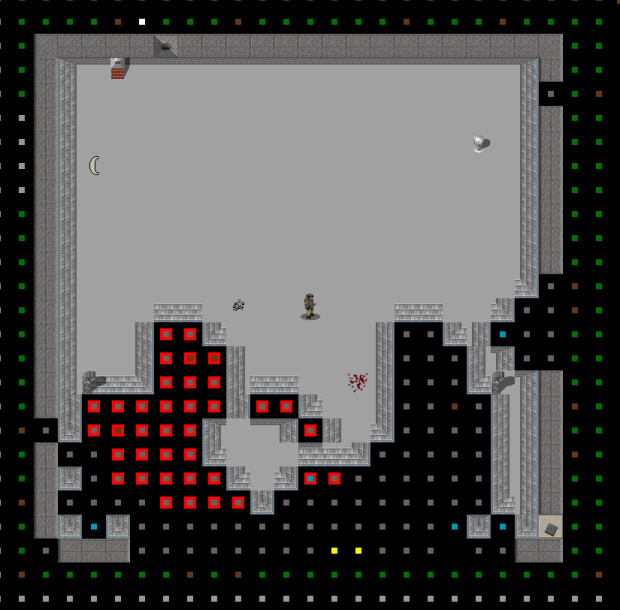
The Tutorial can be found under [Special] in the Main Menu. When playing the game you can press ? to see a list of keybindings for controls the tutorial hasn’t covered (Sort Armor, Zones Manager). NOTE: The keybinding list changes when you open a menu, this can be used to see their controls and change them. If you’re going to start the very first game with a custom character, I urge you to not put too much time and effort into making them at first, because there will be inevitable and unforeseen deaths in the start of these games. Play as a basic character with no skills and familiarise yourself with things you learn in the game and try out some of the other scenarios. When you feel ready, go back to making that cool character you had in mind and throw them into the pits of doom. And remember, "One survivor's fall is another survivor's legacy" NOTE: The world resets when the last character dies in that world, unless it has been changed in create new world. Most monsters will always see you in lit areas while some in pitch darkness, so crouching won’t do anything for stealth besides keep you quiet and hidden against nearby objects and plants, if keeping distance isn’t an option, you may as well be walking. Escaping through a dense Forest can help your character Break Line Of Sight with their pursuers, which eventually makes them stop giving chase and wander around aimlessly. Less hostile creatures may attack you when you’re really close or otherwise Ignore you until they’ve been Attacked by walking into them, they can get into fights with other creatures, depending on how long it takes for their fight to end, you might be able move past them, so long as they aren't Fleeing in your direction. NOTE: Nearby zombies can smell through walls before they can hear walking. Everything moves with time-based turns, the longer your actions take the faster you die. Zombies move a bit slower than walking. so having a melee weapon with low move cost (such as a pipe) can let you get a hit in before moving away, but moving into range gives them a free attack so it is better to wait, this method works for one zombie in a large space and can be used alongside Furniture and Tiles that have High Movement Costs, it is applied whenever something moves onto or out of these, meaning you can hit them more before moving away. Keep in mind zombies can grab you, especially if they stumble or are pushed by another zombie trying to get through the doorway, characters at high strength can break free of grab in a few attempts assuming the grabber isn’t stronger. Having no Stamina left will make you slow and vulnerable, so take rests between fights when it’s safe to. Injury, Pain and Encumbrance will also make fighting and moving harder, so be sure your character’s gear and health are taken care of, before going into more dangerous places. NOTE: If a Headless Zombie doesn’t come over, fight them with a spear or throw rocks at them instead. There are some things that are difficult to hit in melee or can’t be out ran alone, this is usually from their ability to fly or their small size. Cars and Explosions will help in those situations, but Guns are safer and will hit close things with a well aimed shot (full white bar). However this much Noise will draw Zombies from the neighbourhood which could cost more Ammo than you have to clear them. NOTE: When an Alarm goes off a drone will appear outside, keep your distance if you plan on living. The first thing you want to do is to gather more food than you’ll need (and to have something better than protein rations, yuck!), because Crafting, Reading and Constructing are some of the biggest time consumers in-game and food runs out quickly within days. Several empty liquid containers will also be needed, just in case you craft any item that counts as a liquid (fruit jam) or you run out of places to store them. I’m sure a plastic bottle can hold sulphuric acid. (Prove me wrong!) Fire and Crafting are both the 2nd biggest cause of character deaths, and setting up contained fires will have you fooled, so here’s some vital information: * If a fire is already lit, the sidebar will display information about these when hovered over, if it says, “small fire” then the fire will spread, if it says, “There is a fire here” then it is safely contained. * A container of water can be unloaded to put out fires and in theory yourself when poured on the correct tile, keep those on hand and maybe a bucket for good measure. * Braziers are deployed from the Use Item menu, if the sidebar isn’t showing it’s description then it’s not going to contain fire. I think it could trap a fire even if it’s on the ground. * Avoid interacting with the oven, plugging it into the power grid will remove it’s ability to contain fires, anything that was burning inside will go everywhere! To start a fire manually, move a piece of wood into the oven and open the Use Item menu to light a fire. * If not using a fireplace or wood stove, Smoke will be produced indoors, keep a window open or construct a Firewood Spot to control how much fuel goes in at one time. NOTE: Fire can be used to passively purify water over time, just fill a metal container and move it into the fire. Depending on your character you don’t need to worry about these for the first few days so long as they’re still eating and drinking on occasion. The character’s body Weight (also known as calories or kcal) determines how long they can go without food before they get hungry: *Eating until Calories are Moderate or High may prevent them from going Underweight, eating more frequently after the character is no longer full and cooking certain items will help to restore their lost weight. *Overweight is less of a hassle and can be controlled by not eating Calories over Moderate (drinks temporary remove hunger but not restore weight, especially water). *Obese will add Encumbrance to most limbs of the character and will also impact Health. *Underweight can happen if you do exhausting activities for many days such as building a house from scratch or simply haven't eaten, so be sure to eat frequently until Calories are way past Huge for a number of days until Overweight has been reached. The character needs three vitamins to stay healthy, "Iron", "Calcium" and "Vitamin C". Without them they may develop bad symptoms: * Regular Meat have plenty of Iron and some Calcium, these can be butchered from creatures. * Mutated Meat are the same but contain Toxins that’ll ruin your health and make survival difficult. Avoid eating them and give it to animals, otherwise ration these out to be eaten once or twice per day. * Vegetables have Iron and sometimes Vitamin C, these can be foraged from Underbrushes in the forest until the first day of winter. * Fruits usually have plenty of Vitamin C, be sure to collect and preserve these while they're in season, as food with this much Vitamin C can be uncommon. * Milk and Cheese have plenty of Calcium but will rot over time and need to be sourced from plants and bones. * Junk Food mostly have too little vitamins to sustain your character by themselves, but they do taste good. * Multivitamins will cover all of these needs but will cause bad symptoms if you absorb more Iron than you can get from eating food. * Protein Rations also have all these vitamins but they taste bad, so bad that you shouldn't eat these for a long time. * Digesting Foods puts your character in a bad mood for a short time and may cause your character to refuse to do any crafting if they feel terrible (Alot of Encumbrance on the hands also does this). NOTE: Fillets of Fish arn't poisonous but can still be a bad idea to eat uncooked. Alternatively you can freeze them to make them safe for eating, either by having them in the freezer or leaving them outside during winter. Food and Spoiling Items can be preserved in many ways, but some of these can limit their crafting use, so having a place
ИсточникGHub Platform · автор30.08.2026, 05:00:02
The Tutorial can be found under [Special] in the Main Menu. When playing the game you can press ? to see a list of keybindings for controls the tutorial hasn’t covered (Sort Armor, Zones Manager). NOTE: The keybinding list changes when you open a menu, this can be used to see the…
Войдите, чтобы писать в группе