I just want to learn how to play riichi mahjong
GHub Platform · Гайд · 0 ответов · 15 просмотров
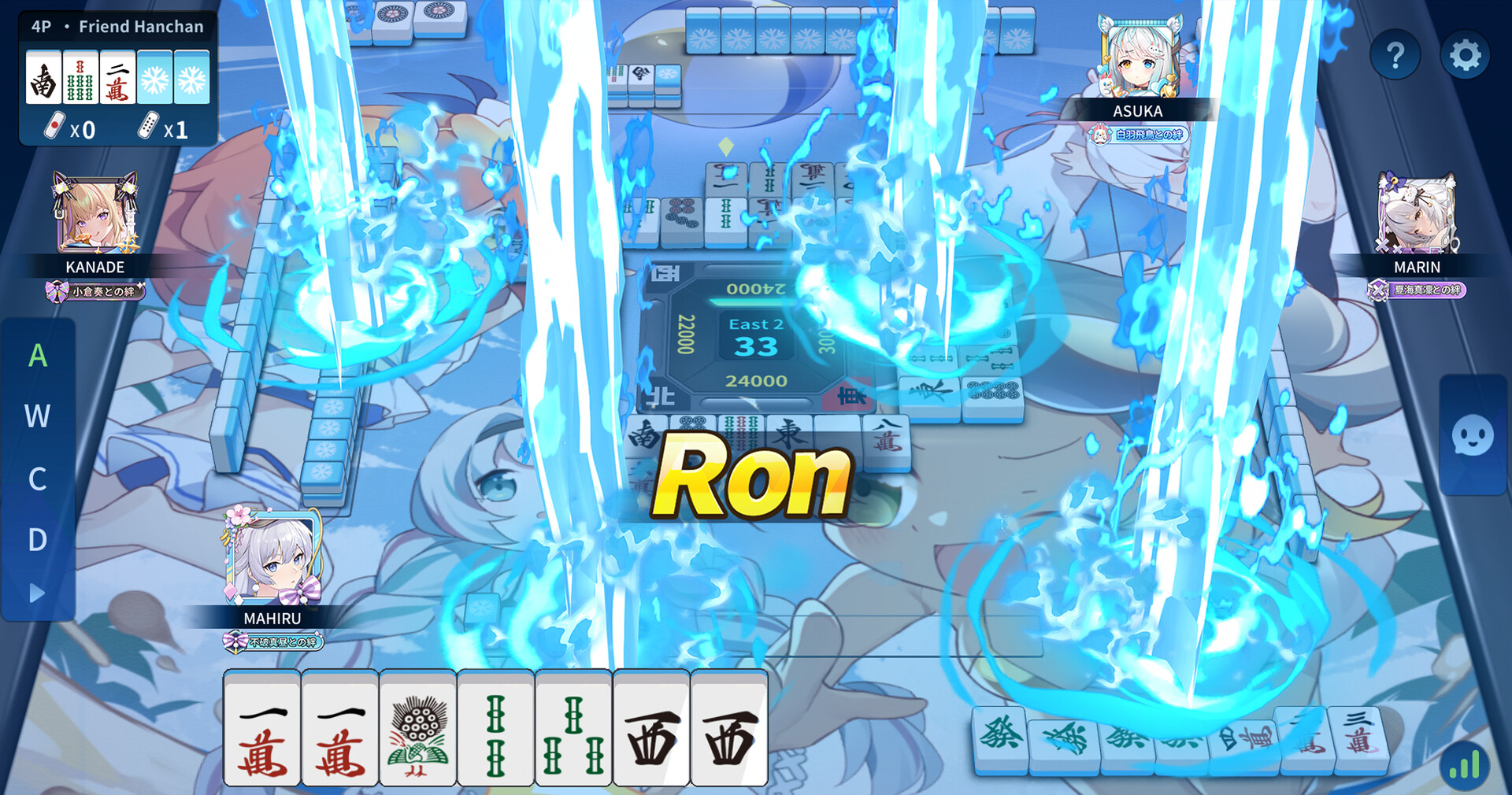
If this is your first time launching Riichi City, you may want to follow through this section, otherwise skip to the next section: Lobby Screen . After the game has loaded and you have downloaded the resources (either Minimal Install or Full Install ) you need to login/register - clicking the Steam button uses your Steam account for the login details, and is nice and convenient. Whichever way you login/register - you will then need to accept the Terms of Service and Privacy Policy . Then the story starts (see the screenshot just below, on the left): To skip the story scene: click the "Skip" button, then click the "OK" button on the popup that appears. Enter a nickname to use in the game, and click the thumbprint to check the name is available (if it is continue to the next screen). As before, to skip the story scene: click the "Skip" button, then click the "OK" button on the popup that appears. You are now presented with a choice: If you want to get to the main menu as soon as possible: choose "I'm pro!" (don't worry, this just skips the story/tutorial and has no other effect). NOTE: The tutorial can be played at any time (see the Play tutorial section for how to access it). Get to main screen (without full control) and go through the gacha system introduction. If you didn't choose "I'm pro!" you are sent back to the story/tutorial: If you want to skip the story you can use the "Skip" button, as before. NOTE: If you play through the tutorial here, make sure to check the Going through the tutorials sub-section of the Play tutorial section. Back to main screen (without full control) to go through the rest of the Riichi City system introduction. Then click to accept the daily check-in reward, and then click the X in the top right to close the check-in rewards page. You are now at the main menu aka the... From the lobby screen you can freely access the features in Riichi City that will help you to start learning riichi mahjong: Tutorial Rules (Yakus, scoring and terminology) Mahjong Academy Match settings Play matches vs AI View match logs (and analyse them with AI) Play matches vs human players Each of the above features is described in a dedicated section of this guide. NOTE: I have also provided links to some external resources for learning riichi mahjong at the end of this guide. The next step is to go through the Tutorial. You can access the tutorial section from the lobby screen in 3 clicks: Click the menu icon in the bottom left of the lobby screen, then click on the "Rules" icon from the menu that appears. When you reach the Rules screen, click the "Tutorial" button to proceed to the tutorial section. Learning the basics of riichi mahjong From this menu you can play through the interactive riichi mahjong tutorials (and view the intro story scenes): You can replay these tutorials as many times as you like, by returning to this menu. Click on the tutorial you want from the list on the left hand side (you can scroll the list with the mouse wheel), then click "Story" to start the tutorial you have selected. Play through the following: 04: Basic Tutorial 1 07: Basic Tutorial 2 07: Basic Tutorial 3 07: Basic Tutorial 4 09: Special Tutorial NOTE: To avoid the story scenes, don't use autoplay (see image on the right) - you will return to the above screen after finishing each tutorial. Going through the tutorials Read the information and follow the text instructions on screen. You need to click to bring up the next piece of text (click on the text itself) . Some parts are interactive, so pay attention. NOTE: You can restart a tutorial by clicking the "Skip" button in the top right corner, then clicking "Yes" to confirm you want to skip the tutorial. You can then choose the same tutorial from the list, as described above. I have listed below the topics and terminology covered by each tutorial; you can check this list later for any terms you don't understand so you can find and play the associated tutorial. Basic Tutorial 1 Describes: tiles, suits, honor tiles, combinations (triplets, sequences, pairs)*, drawing, discarding, basic hand shape, tenpai, waits, ron. * My special tip if you are familiar with poker: all combinations are "flushes"... there is no "straight", only "straight flush" and there is no "3 of-a-kind" with 3 different suited numbers, only a "flush 3" - i.e. all 3 tiles are the same suit and the same number. However there are 4 of each tile in riichi, rather than only 1 of each card in a deck of cards. Basic Tutorial 2 Describes: rounds, prevailing and seat winds, draw pile size, points, dora, timer, pon, chii, kan, concealed kan, tsumo. Mentions: rinshan kaihou. Basic Tutorial 3 Describes: yaku, yakuhai, closed hand (menzen), open hand (fuuro), riichi. Basic Tutorial 4 Describes: all simples (tanyao). Special Tutorial Describes: full flush (chinitsu), half flush (honitsu), yakuman in particular - pure nine gates (chuuren kyuumen) . Mentions: ippatsu, ittsu, and limit hands. The next section shows how to look up the rules of riichi mahjong conveniently within the Riichi City client. The Rules screen can be accessed from the lobby screen, the Mahjong Academy, and when playing matches / viewing match logs. Click the menu icon in the bottom left of the lobby screen (or click the help icon in the Academy, or the question mark icon when in a match). If you used the lobby menu, you then need to select "Rules" from the menu that appears: Any of these routes will bring you to the Rules screen, which has the following helpful sections: Lexicon Provides a description/explanation for all of the richii mahjong terms used in Riichi City (and this guide). You can go through the categories at the bottom, scroll through the terms on the left, or even search (for when you have heard a term, but have no idea what it means). A description is then shown for the selected term. Yaku & Han Once you know what a yaku is, go here for a complete list of all the yaku , and how many han they are worth. Scoring Shows the scoring table for all of the possible combinations of fu and han, as well as the scores for the limit hands. Tutorial The tutorial is described in the Play Tutorial section of this guide. You can only access the tutorial if you came from the lobby or the Mahjong Academy (i.e. the tutorial is not accessible when in a match). The next step is the Mahjong Academy. Click the "Mahjong Academy" button (on left hand side of the lobby screen): The Mahjong Academy provides lessons that help you with the fundamentals of richii mahjong, it is a way of improving your abilities in completing combinations, hands, and yaku. Each topic has lessons that are in the form of short quizzes that test and improve your knowledge. There are also advanced lessons about scoring hands. Self Training After the introduction sequence, you are presented with a choice: Choose honestly, although it doesn't make very much difference whichever you choose. NOTE: The quick level test is in the same format as the rest of the lessons in the Mahjong Academy (but with a mix of subjects). Next you are shown your checklist, and if you are new to riichi mahjong, it is worth completing: You need to get 60 points in "Learning Tiles", 60 points in "Forming Winning Hands", and complete 1 practice match against the AI. If you took the quick level test you will have some amount of points in "Learning Tiles" and "Forming Winning Hands", if you didn't take the test you will have 0 points in both subjects. At the main Mahjong Academy screen you can take lesson in the topics you have unlocked. You can also quickly access the tutorial, lexicon, rules, and practice matches from this screen. The "i" icon in the top-right of the Mahjong Academy screen provides instru
ИсточникGHub Platform · автор30.08.2026, 05:55:43
If this is your first time launching Riichi City, you may want to follow through this section, otherwise skip to the next section: Lobby Screen . After the game has loaded and you have downloaded the resources (either Minimal Install or Full Install ) you need to login/register -…
Войдите, чтобы писать в группе