Beginner's Guide to Clicker Heroes
GHub Platform · Гайд · 0 ответов · 15 просмотров
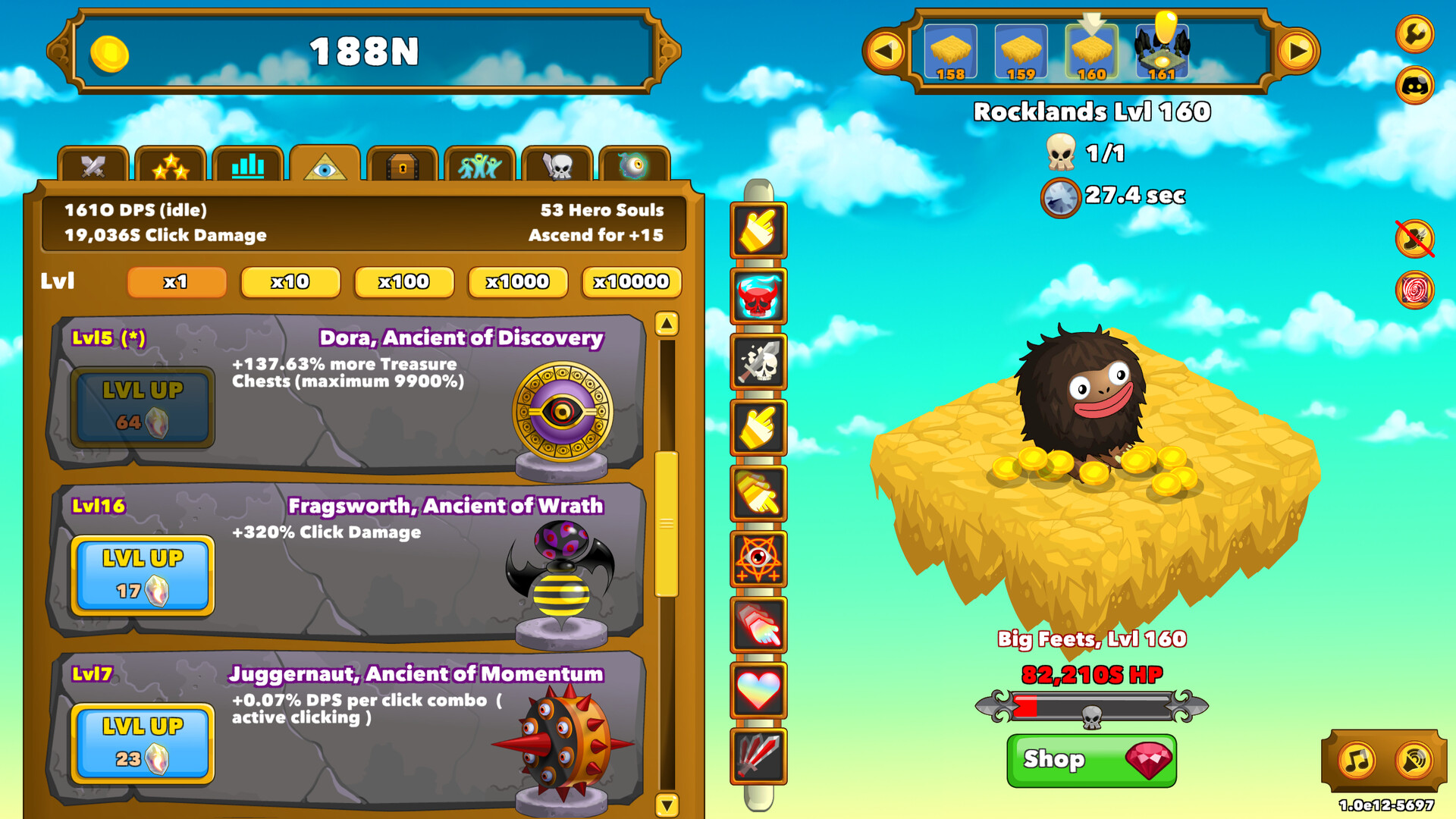
This guide is intended for those just getting started playing Clicker Heroes. It will cover the controls and features of the game and provide a suggested walkthrough to getting started. In the top right of the screen you will see a wrench icon. This opens up the options menu. Save From here you can make a save of your progress so far. On clicking the save button a collection of text that encodes your games current state is copied to the clipboard, ready for pasting into one of the on-line tools that have been developed for the game, and a save dialogue is opened to create a text file that contains a copy of the same code. Note that, the game also uploads a copy of you game to the Steam cloud when you exit the game. If you suffer a powercut or other abnormal way in which the game is closed, your progress may not be saved when you next open the game. As such performing a manual save periodically is generally advised as a good idea. The Steam version of the game by default saves in the following location. C:\Program Files\Steam\steamapps\common\Clicker Heroes\clickerHeroSave.txt Import The next option allows you to import a saved game by copying the code from within a save file and pasting it into the window where indicated. When importing a game in this fashion, the time since the save was made will be treated by the game as if you were in the off-line farming mode. Toggles Next are a series of toggles. 'Show +gold texts' and 'Show damage texts' toggle the display of the quantity of gold collected form each coin and the damage done with each click respectively. Toggling them off can help if the game becomes laggy. 'Tiny monsters' toggles if the monsters scale in size with the current zone level that has been reached. This is purely visual and has no effect on the monsters health or gold dropped. Toggling it on can help if the game is suffering slowdown. 'Show individual hero DPS' toggles the display of how much DPS each hero is currently contributing on their bar in the left hand pane. 'Always use scientific notation' toggles if all numbers are displayed using conventional notation, e.g. 6,341B or scientific notation, e.g. 6.341e12. As numbers reach very high levels they will automatically switch over to using the scientific notation but this toggle allows that to happen from the start. The final toggle switches the game to running in full screen. At the time of writing(0.17d), in order to close the game it is necessary to switch back out of full screen before you can exit the game. Reset The final button on the options page allows you to perform a hard reset, causing all progress made in the game to be completely reset. Steam achievements will remain awarded, but otherwise it will be as if you had started the game for the first time again. It is heavily advised that you make a save prior to doing this and periodically through normal play to guard against accidental use. While most actions in Clicker Heroes are performed by the mouse, there are also a number of keyboard short-cuts and modifiers. Key Effect The game has three main modes of play, Active, Off-line and Idle. Only the first two will be available on your first run and on following runs until one of the Idle Ancients is purchased. Active The game is in active mode if it is open and there has been a click causing damage to a monster or an ability has been activated within the last 60 seconds. Progress can be made to higher zones. Off-line The game is in Off-line mode if the game window is closed. In this mode, gold is acquired based on your heroes total DPS and the highest zone level that is accessible, as seen at the top of the screen. No progress to higher zone levels will occur while in Off-line mode. If not in Idle mode when going off-line, it will be calculated as if Idle mode had been entered at the same time as if the game had been left running. If a game save is imported, the time since the save was made will be treated as if the game was in Off-line mode until the time of import. Idle Idle mode becomes available once one of the Idle Ancients, Libertas or Siyalatas is purchased. Idle mode is entered 60 seconds after the last ability was activated or 60 seconds after the last click that would cause damage to a monster occured, whichever is the later. Progress can be made to higher zones. Idle mode is broken as soon as an ability is activated or a click is made that would cause damage. Notably, clicking on a clickable that appears within the game area(currently appearing as a small headcrab as of Steam version 0.17d) does not break the idle mode. Progression/Farm mode Following the first ascension after beating the boss on zone 100, a new button can be seen on the right-hand side of the screen. This toggles between Progression and Farm modes, where Progression mode causes the game to advance to the highest unlocked zone upon the death of the current enemy while Farm mode causes the game to remain on the current zone level. If a Boss is not defeated within the allotted time while in Progression mode, the game will automatically change to the prior zone level and switch to Farm mode. This is to allow gold to be accumulated to enable the upgrading of Heroes to defeat the boss that blocked progress. Zone 1 You will be visiting many, many times. On the right you will see your first monster and on the left you will see Cid, the first Hero waiting to be hired, but Cid is greyed out as you lack any gold to do so. Click on the monster and you will see it's health drop by one point. Do this ten times and you have killed your first monster and will see a single gold coin drop to the ground. You can either move the mouse over/near it to collect the coin or wait a short while for it to be collected automatically. Either method gives you the same total gold. You will also see the counter by the skull in the top-center of the zone area increment by one. This is the number of monsters that must be slain to advance to the next zone level. Slay another four monsters and you will have sufficient gold to hire Cid. You will also see an new Hero appear greyed out in the list, Treebeast. Hire Cid, and you will see your damage per click will have increased to 2. Occasionally you will see Treasure Chests spawn instead of monsters. These are attacked and destroyed in just the same way as other monsters but they drop seven times the gold as a regular monster. Kill another five monsters and you will have cleared the zone. As this is your first run, you must manually advance to the next zone by clicking on it at the top of the game window. Later once you unlock Progress mode the game will automatically advance each time you clear a zone. Zone 2 You will see that the health of each monster has increased greatly from 10HP to 26HP, but also when you kill your next monster you will see that the gold dropped has also increased from 1 to 2. This sort of pattern, of monster health increasing faster than gold dropped, will continue as you advance zones and along with the increasing cost per level of each Hero leads to the games various 'walls' points where progress stalls. But more on that later. By this point you should have sufficient gold to level up Cid. Do so and you will see your damage per click has increased again to 3. Continue killing monsters and possibly levelling Cid again until you clear the zone, then click at the top to progress to zone 3. Zones 3 & 4 The health of the monsters and the gold they drop has again increased. At this point it may be worthwhile holding off on upgrading Cid further and gather the 50 gold required to hire Treebeast, your first DPS Hero. As soon as you hire Treebeast you will notice that the monster's health starts dropping without you needing to click. This is because Treebeast and all following Heroes cause continual damage over time. Active clicking by yourself provides additional damage above and beyond this which will speed the process. Continue through zone 3 and 4 le
ИсточникGHub Platform · автор30.08.2026, 21:00:04
This guide is intended for those just getting started playing Clicker Heroes. It will cover the controls and features of the game and provide a suggested walkthrough to getting started. In the top right of the screen you will see a wrench icon. This opens up the options menu. Sa…
Войдите, чтобы писать в группе