BLVGH - LEGO Harry Potter: Years 1-4 Remaster
GHub Platform · Гайд · 0 ответов · 19 просмотров
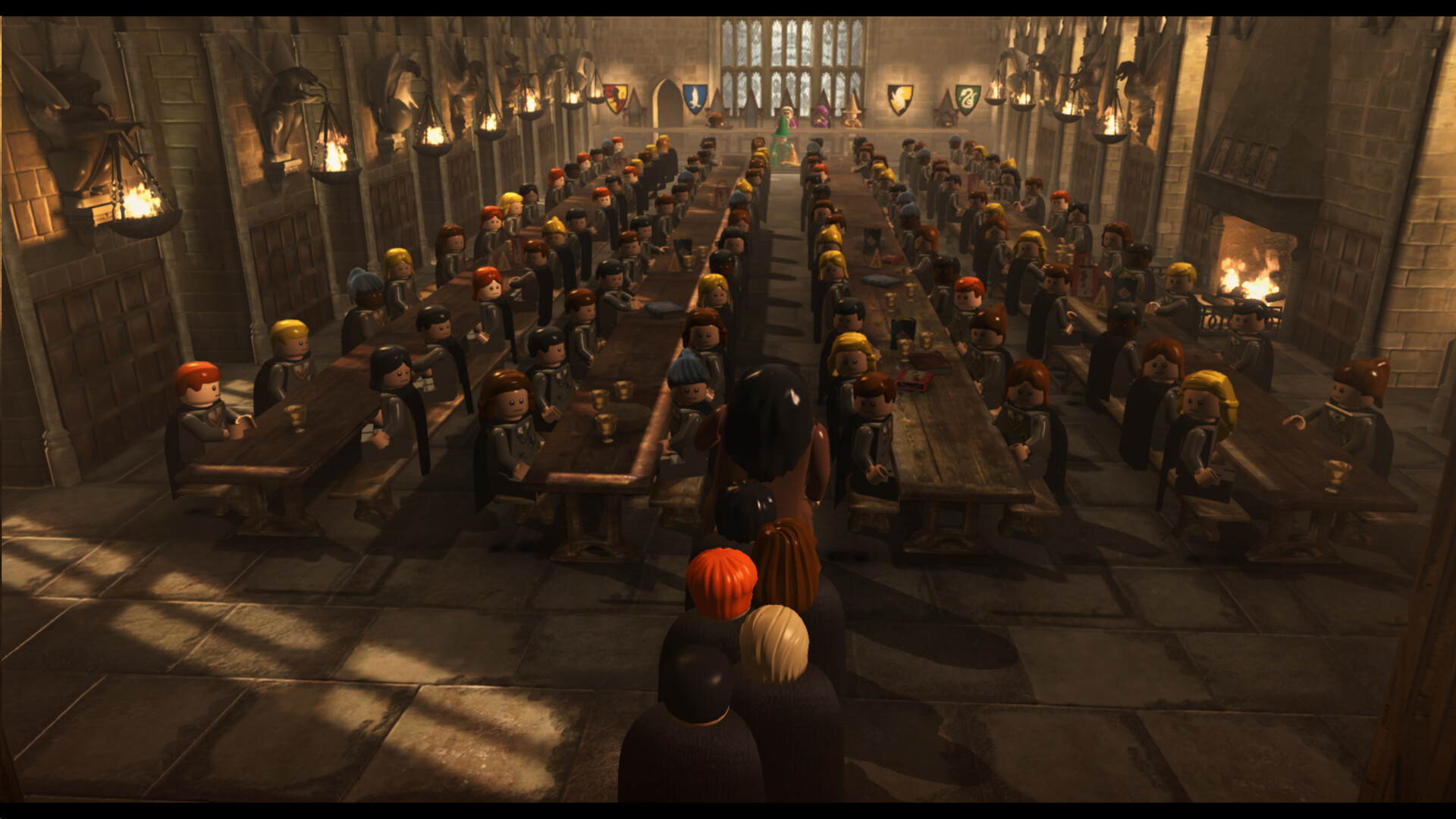
While this game is essentially the exact same LEGO Harry Potter: Years 1-4 that was released back in 2010, there are still a few small differences that I think are worth pointing out. As such, let’s run through what’s new and improved! The main game itself has not been significantly altered. The levels, interludes and hub exploration are still exactly the same. No new characters have been added and all of the collectibles can be found in the same places and ways as in the original (this is why I have simply copied my original guide, screenshots and all). The only significant gameplay change is the addition of Steam Achievements , which I have added a section for at the bottom of this guide. The biggest and main reason these games were remastered was to update the graphics . While the game certainly does not look like the most recent LEGO release (LEGO Star Wars: The Skywalker Saga), the game does look better, especially when it comes to light and shadow effects. Note that with this update, you no longer have the various options to alter or change the graphics in the Pause Menu. However, you can remove/add the Player 2 UI if you wish to. The Pause Menu also has some additions on the bottom of the screen to include information on your overall percentage. The Character Token counter has also been moved to the bottom of the screen to align with the rest of the collectibles. The Extras menu now has what I call “Red Brick Memory” , a feature that has been implemented in the more recent LEGO games. What this means is that you will not have to turn Extras on every time you load the game, as the game will remember the ones you have active and keep them active until you turn them off. After activating an Extra, the game will remember to keep it active the next time you open the game. In the original game, the Red Spell slot in the Spell Wheel would always cycle through all of the available spells. This game allows you to select which spell you specifically want to use , allowing you to constantly use your favorite curse instead of waiting for it to cycle through again. Hold the “tag” button to pull up the Spell Wheel, then select the red slot to start cycling the spells. When the spell you want to use appears, release the “tag” button to lock it in the slot. Additionally, the character menu has been reordered somewhat. I have reflected this by reordering the characters in the “Characters” pages below. The character menu has also been updated to make it easier to identify characters with certain abilities and talents. Hovering over a character in the character menu will display their spell wheel, as well as any abilities they have. You can also filter the character menu by pressing the “tag” button. The various filters are: All - this is the default, and simply shows all of the characters Gryffindor - all of these characters have the House Access (Gryffindor) ability Slytherin - all of these characters have the House Access (Slytherin) ability Hufflepuff - all of these characters have the House Access (Hufflepuff) ability Ravenclaw - all of these characters have the House Access (Ravenclaw) ability Dark Wizards - all of these characters can use Dark Magic Pets & Animagi - all of these characters can either summon pets or are an Animagus Muggles, Squibs & Magical Creatures - various miscellaneous characters, including non-human characters, muggles and ghosts Custom - Your custom characters, which can be edited at Madam Malkin’s Please note that these filters do not necessarily represent ALL of the characters with a particular ability. For example, Professor Dumbledore has the ability to access every House, but he does not appear in any of the House filters, and Hermione does not appear in the Pets & Animagi filter despite being able to summon Crookshanks. While all of these changes are relatively minor, I still really appreciate them and think they make the gameplay experience more enjoyable. Notice a change that I missed? Please let me know and I'll be sure to add it to this list. This game has plenty of levels for you to play, with 24 story levels and 10 bonus levels. There are several different game modes you can play, which I'll describe here. I also describe how I structure the walkthroughs for each game mode. The first time you play a story level, you will be playing Story Mode. As you might expect, you will be playing through the story of whatever movie you are in. You will only have access to the characters that the game gives you. Generally, your exploration is limited due to the characters you have, meaning you'll have to come back in Free Play Mode to unlock the collectibles you couldn't collect in Story Mode. After completing a level in Story Mode, you can select the Replay Story option to replay the level in Story Mode. At the top of my Story Mode walkthroughs, I list the enemies you'll encounter and any bosses you will fight. I also list both your starting characters and any characters that are added as you progress. Finally, I list the True Wizard total for that level. Each level is split up into parts, which I sometimes call areas. Each part is a distinct area of the level, separated from other areas by a screen wipe (it will be very obvious when you enter a new area). Some levels have lots of parts, while some only have one. Below each part, I explain what to do in that part to progress in the level. I do not include the locations of any collectibles, even if you can collect them in the story. After completing a level in Story Mode, you will be able to play it in Free Play Mode. In Free Play Mode, you can select a character from all the ones you've unlocked to take into the level. The game will then give you a selection of other characters to cover all of the abilities you have unlocked. In Free Play Mode, your goal is to find all of the collectibles. At any point in Free Play Mode, you can save and exit to return to the Leaky Cauldron without having to complete the level. My Free Play Mode walkthroughs are also divided into parts, as I believe this makes them easier to navigate. At the top of the walkthrough will be a list of the spells and other non-magical abilities you'll need to collect all of the collectibles in that level. Free Play Mode walkthroughs contain the locations of all 4 Hogwarts Crest Pieces, all 3 Character Tokens, and the Student in Peril, even if they can be collected in Story Mode. Screenshots are also included to add clarity to the walkthrough. To get 100%, you gotta collect everything. There are lots of things to collect, so it's important to know what you are looking for! You can check your overall collectible progress from the pause menu or from the door on the right side of the Leaky Cauldron. Studs These are the most important things you can collect. Studs act as the game's currency, so you'll want to be picking up as many as you can find. The silver studs are worth 10, the gold studs 100, the blue studs 1,000, and the purple studs 10,000. You'll use studs to purchase things in the hubs, so you'll want to be collecting as many as you can. True Wizard Collecting studs is essential if you want to reach True Wizard status. Collecting studs in a level will reveal a stud bar in the top center of the screen. As you collect studs, the stud bar will gradually turn yellow. Once you fill the stud bar, you will achieve True Wizard status. Once you achieve True Wizard in a level, you cannot lose it. Even if you lose all the studs in a level after achieving True Wizard, you will not lose it. Achieving True Wizard in a level will net you a Gold Brick. Gold Bricks Gold Bricks are exactly what they sound like, and they can be found in many different ways. They can be earned by completing certain tasks, and they can also be found as collectibles in Diagon Alley and Hogwarts. There are 200 Gold Bricks in total, and the amount of Gold Bricks you have is a good way to estimate your overall percentage in the game. You can
ИсточникGHub Platform · автор30.08.2026, 22:00:02
While this game is essentially the exact same LEGO Harry Potter: Years 1-4 that was released back in 2010, there are still a few small differences that I think are worth pointing out. As such, let’s run through what’s new and improved! The main game itself has not been significan…
Войдите, чтобы писать в группе