Scenario Editor handbook / 关卡编辑器手册
GHub Platform · Гайд · 0 ответов · 7 просмотров
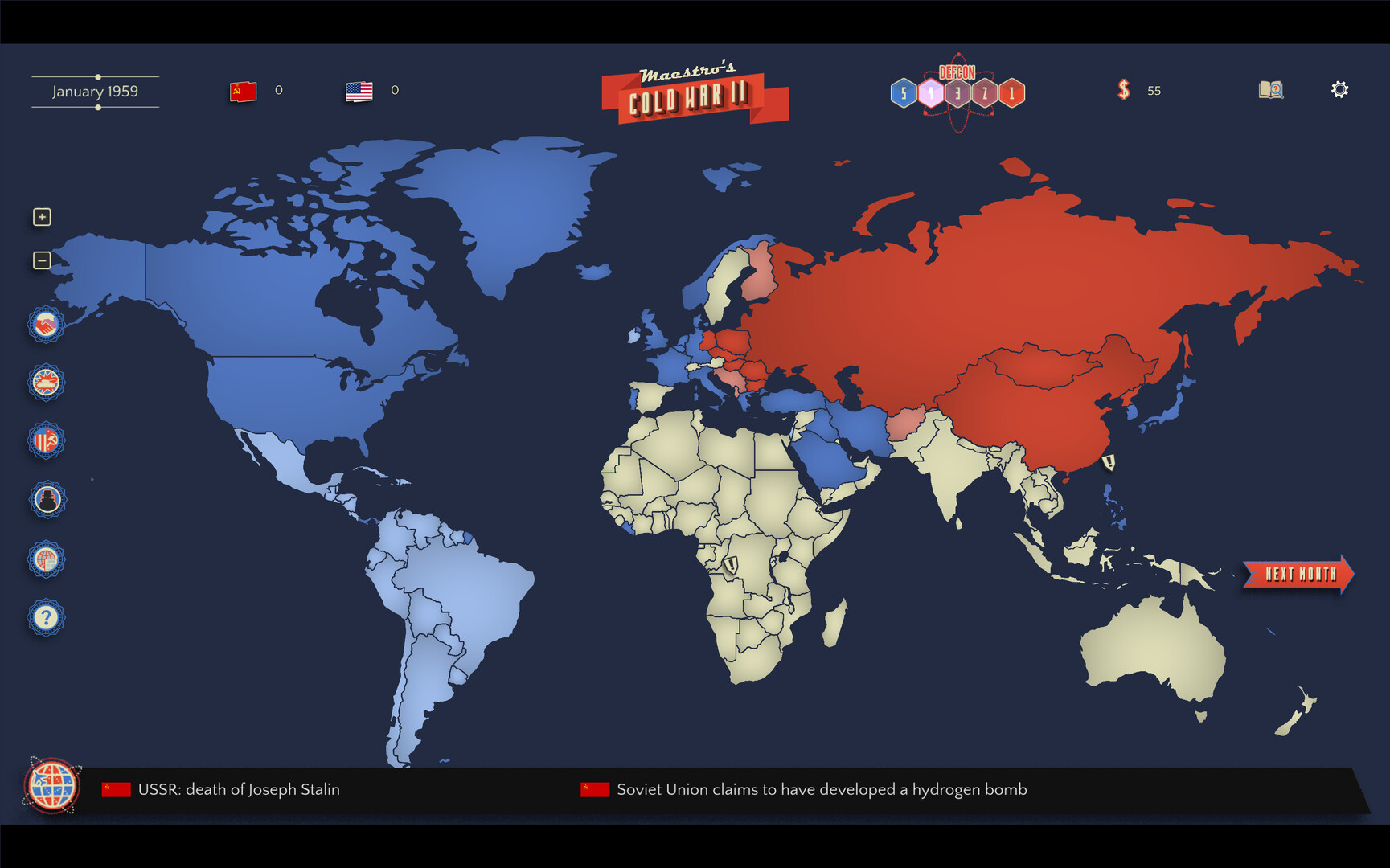
The Editor is the main feature of cold War 2 in the author´s mind. The editor will most certainly evolve faster than this guide, so do not think of it as a complete editor manual, but rather as a set of guidelines to help you get started. The editor is an evolving project and should receive as much love and attention as the base game (at least, that's the plan). Most of the design choices I made for the editor were intended to help those of us with little or no technical or coding experience. Hardcore modders may occasionally feel frustrated and think the editor should have been designed in a cleaner, more state-of-the-art way. Sorry, guys—you are not my primary target audience here! Young players: the editor is for patient builders. It has a learning curve. Be prepared to spend a lot of time with it if you want to achieve the grand vision you have in mind. You will probably get stuck at some point, or even curse my name. When that happens, use the Steam forums and Discord to seek help from the community. You will also discover many things you would like to do that are not yet possible because they have not been implemented in the editor yet. Be patient, encourage the developer to prioritize the features of your dreams, and try to find workarounds until then. 编辑器的发展速度很可能会超过本指南的更新速度,因此请不要将其视为一份完整的编辑器手册,而应将其看作帮助您入门的一系列指导建议。 编辑器本身是一个不断发展的项目,并且理应获得与游戏本体同样多的关注与投入(至少这是我的计划)。 我为编辑器所做的大部分设计选择,都是为了帮助那些几乎没有技术或编程经验的玩家。资深模组制作者有时可能会感到沮丧,并认为编辑器本应采用更整洁、更先进的设计方式。 抱歉,各位!你们并不是我在这里的主要目标用户! 年轻玩家们:编辑器是为有耐心的创造者准备的。它有一定的学习门槛。如果你想实现自己心中的宏大构想,请做好投入大量时间学习和使用它的准备。 在使用过程中,你很可能会遇到困难,甚至有时会忍不住抱怨我。遇到这种情况时,请前往 Steam 论坛或 Discord 寻求帮助。 你还会发现许多自己想实现的功能目前尚无法做到,因为这些功能还没有被加入编辑器。请保持耐心,积极向开发者反馈并推动你梦想中的功能,同时在此之前尽量寻找一些替代方案来实现你的目标。 You will find the editor in the Workshop section of the game's landing page. Creating a new mod is as simple as pressing the **Create New Mod** button! The system will generate a random name for the new mod. Enter a better name that clearly summarizes what you plan to create. The second important choice is the scenario setup. Tabula Rasa You will start with an empty world. This option is useful if you want to create something very different, such as a fantasy world. You will still be able to easily add existing countries back into the world using the editor if needed. Use Your Quick Save Perfect if you have created a situation you like during one of your game sessions and want to build upon it. Use a Classical World Setting by Date Perfect for improving or modifying the existing scenarios. Use a Classical World Setting by Date with Blank Data Similar to the previous option, but all country data is reset to its default values. As soon as the mod is created, the game will show you the mod's folder. You can close the folder window. You will be able to access it at any time from within the editor. You can now start editing the world using the buttons on the right side of the map view. Have fun! ----------------------------------------------------------------------------------------------------------------------------------- 您可以在游戏主界面的 Workshop(创意工坊)部分找到编辑器。 创建一个新模组就像点击 **“创建新模组”** 按钮一样简单! 系统会为新模组自动生成一个随机名称。您可以输入一个更合适的名称,以清晰概括您计划创建的内容。 第二个重要选择是场景设置。 从零开始(Tabula Rasa) 您将从一个空白世界开始。如果您想创建一个完全不同的世界,例如奇幻世界,那么这个选项会非常有用。 如果需要,您仍然可以通过编辑器轻松地将现有国家添加回世界中。 使用您的快速存档 如果您在游戏过程中创造了一个自己喜欢的局面,并希望以此为基础继续扩展,那么这个选项非常适合您。 按日期使用经典世界设定 非常适合对现有场景进行改进或修改。 按日期使用经典世界设定(空白数据) 与前一个选项类似,但所有国家数据都会被重置为默认值。 模组创建完成后,游戏会显示该模组所在的文件夹。 您可以关闭该文件夹窗口,因为您随时都可以通过编辑器再次访问它。 现在,您可以使用地图视图右侧的按钮开始编辑世界。 祝您玩得开心! You will probably want to use your own images for events, guerrillas, and many other elements of your mod. Doing so is very simple: just place your images in the appropriate editor folders. I have provided several default images that can be used as templates. Workshop Capsule Replace the default image with your own while keeping the same filename. This is the image that will be displayed on the Steam Workshop page for your mod, and you probably do not want to use the same default image as every other careless modder, do you? Required dimensions: **268px × 268px** Scenario Capsule This image is displayed in-game when a player selects a mod to launch. Location: `\description\scenario_capsule.png` Replace it with your own image using the same filename and the following dimensions: **460px × 180px** The image should be in PNG format. Event Images Event images should have a width of **800px**. The height is up to you. You will quickly notice if the image does not fit properly. Country Flags Country flags should have a width of **300px**. Guerrilla Flags These should be smaller, ideally with a width of **75px** (or less). Lang This folder contains the localization file. The file will be generated automatically as soon as you create a new text entry. If you want to create versions of your mod in different languages, this is the file you will need to translate. Leader Portraits Leader portraits should have a width of **220px**. Policy Images Policy images should be **88px × 88px**. Score Flags These are the flags displayed in the upper-left corner of the screen next to the prestige scores. A width of **126px** is recommended. A blank template is provided if you want your flags to match the visual style of the base game. Technology Images Used in the R&D section. Recommended width: **300px**. Underlay Map The images in this folder are used to help with drawing and positioning new countries. Think of them as a world map canvas that can be used as a reference when creating your own content. Country Shapes Here you will store the countries you will have drawed on some common paint software. These images should be png. They will be used to create new countries or change a country´s borders. ----------------------------------------------------------------------------------------------------- 您很可能希望为事件、游击队以及模组中的许多其他内容使用自己的图片。 操作非常简单:只需将您的图片放入编辑器对应的文件夹即可。我已经提供了一些默认图片,您可以将其作为模板使用。 创意工坊封面图(Workshop Capsule) 请用您自己的图片替换默认图片,并保留相同的文件名。这张图片将显示在 Steam 创意工坊中的模组页面上。您肯定不想和其他粗心的模组作者一样使用同一张默认图片吧? 所需尺寸:**268px × 268px** 场景封面图(Scenario Capsule) 当玩家在游戏中选择要启动的模组时,将显示这张图片。 位置:`\description\scenario_capsule.png` 请使用相同的文件名替换为您自己的图片,并使用以下尺寸: **460px × 180px** 图片格式必须为 PNG。 事件图片 事件图片的宽度应为 **800px**。 高度可自行决定。如果尺寸不合适,您很快就会发现。 国家国旗 国家国旗的宽度应为 **300px**。 游击队旗帜 这些旗帜应更小一些,建议宽度为 **75px**(也可以更小)。 Lang 此文件夹包含本地化文件。 当您创建新的文本条目时,该文件会自动生成。 如果您希望为模组制作其他语言版本,则需要翻译此文件。 领导人头像 领导人头像的宽度应为 **220px**。 政策图片 政策图片尺寸应为 **88px × 88px**。 评分旗帜(Score Flags) 这些旗帜显示在屏幕左上角、声望分数旁边。 建议宽度为 **126px**。 编辑器中提供了一张空白模板,您可以使用它来让旗帜风格与游戏原版保持一致。 科技图片 用于研发(R&D)界面。 建议宽度为 **300px**。 底图(Underlay Map) 此文件夹中的图片用于辅助绘制和定位新国家。 您可以将其视为一张世界地图画布,在创建自己的内容时作为参考使用。 国家轮廓(Country Shapes) 在这里,您可以存放使用绘图软件绘制的国家轮廓图。 这些图片应为 PNG 格式。 它们将用于创建新国家或修改现有国家的边界。 To create a new country, you must first create an object called a **Country Shape**. Country Shapes can also be attached to existing countries if you want their borders to change over time. For example, Vietnam can take several different shapes in the game depending on how the situation evolves. You can also create an entirely new country from a Country Shape. The game does not use a complex vector or coordinate-based system for country shapes. My belief is that the simplest way to draw a country is by using a standard paint-style image editor. To help you get started, I have provided resources such as the Underlay Map and the Algeria Shape as examples and reference material. Once created, shapes can be freely moved around the map using simple grab, drag-and-drop controls until you are satisfied with their position. After creating a country in this way, it will appear in the list of countries, where it can be modified just like any other country in the game. --------------------------------------------------------- 要创建一个新国家,您首先需要创建一个名为 **国家轮廓(Country Shape)** 的对象。 如果您希望一个国家的边界能够随时间发生变化,也可以将国家轮廓关联到现有国家。 例如,越南在游戏中可以根据局势的发展呈现不同的版图形状。 您也可以直接通过国家轮廓创建一个全新的国家。 游戏并不使用复杂的矢量或坐标系统来定义国家轮廓。 我认为,绘制国家最简单的方法就是使用普通的绘图软件。 为了帮助您入门,我提供了诸如底图(Underlay Map)和阿尔及利亚轮廓(Algeria Sha
ИсточникGHub Platform · автор06.09.2026, 06:39:03
The Editor is the main feature of cold War 2 in the author´s mind. The editor will most certainly evolve faster than this guide, so do not think of it as a complete editor manual, but rather as a set of guidelines to help you get started. The editor is an evolving project and sho…
Войдите, чтобы писать в группе