BRICK: Complete How to Play and Survival Guide
GHub Platform · Гайд · 0 ответов · 5 просмотров
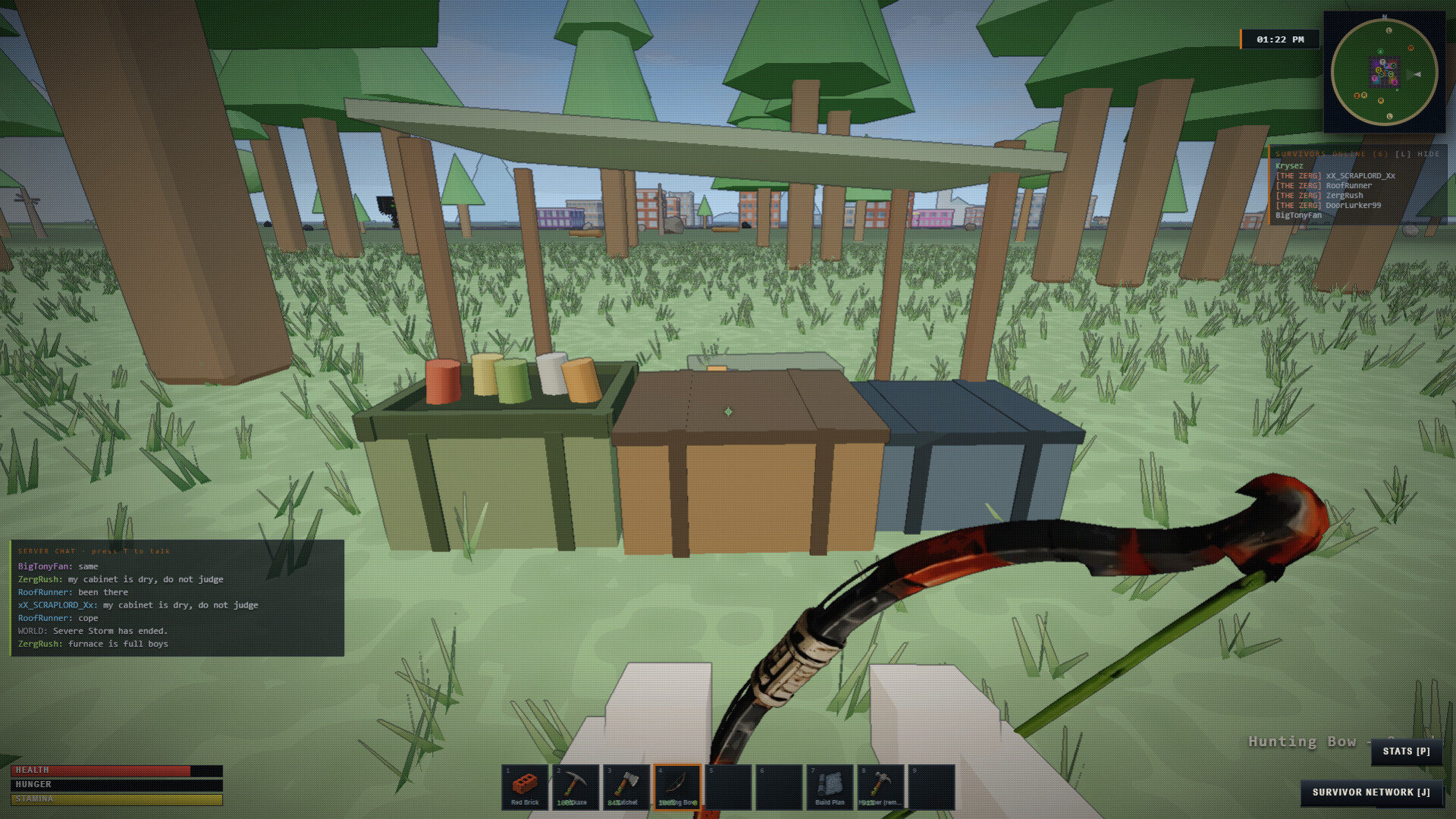
BRICK: Complete How to Play and Survival Guide The official guide to surviving BRICK: controls, scavenging, blueprints, base building, combat, recruits, vehicles, co-op, missions, high-risk POIs, and world setup. This guide mirrors BRICK’s in-game How to Play manual, which you can open at any time with F1 . Use Steam’s Guide Index on the right to move between sections. Scavenge, build, claim territory, form a crew, and survive the city on your own terms. There is no single winning route. Your shelter, territory, equipment, allies, and enemies create the story. BRICK is an open-world survival sandbox where every resource, vehicle, structure, and alliance can change your position in the city. 1. Scavenge the city and forest for food, components, tools, and BITS. 2. Build a shelter, claim its surrounding area, and keep its Resource Cabinet supplied. 3. Unlock better equipment through Workbenches and blueprints instead of skipping directly to the strongest gear. 4. Choose whether to trade, recruit, form a clan, capture Wards, defend, or raid. REMEMBER Open this field manual at any time with F1 . Single-player pauses while the manual is open. YOUR SAVES Progress is kept on disk rather than in the browser store, so it survives whatever port the game happens to start on. The title screen names the day of each save: CONTINUE resumes the current one, and RESTORE PREVIOUS SAVE brings back the one before it if a new game replaced it. Starting a new game always asks first, and SAVE & EXIT confirms in writing what it wrote. QUICK TIPS A stocked small base is more useful than a large empty shell. Preparation and positioning usually matter more than one lucky weapon. DEFAULT CONTROLS USED F1 - How To Play Turn an empty hotbar into tools, food, and a defensible foothold. The safe opening is simple: gather, tool up, eat, scout, and establish a foothold. 1. Move with W , A , S , and D . Save SHIFT for danger. 2. Gather wood and stone, then open handcrafting with C to make a hatchet and pickaxe. 3. Find food and one healing option before crossing open ground or entering a fight. 4. Scout a location with nearby resources and room for a Resource Cabinet, foundation, door, and storage. REMEMBER Do not spend every resource on weapons. Food, a bedroll, storage, and a secure door protect progress. QUICK TIPS Listen before entering occupied buildings. Save stamina for escaping vehicles, animals, police, or hostile survivors. DEFAULT CONTROLS USED W - Move Forward A - Move Left S - Move Back D - Move Right SHIFT - Sprint LMB - Use / Attack / Place C - Crafting Use the crosshair for world actions and keep your survival meters visible before committing to danger. Aim at the object you intend to use. Nearby objects do not override the crosshair target. 1. Move, sprint, and jump with the live controls shown in Quick Keys. 2. Aim the crosshair directly at doors, containers, vehicles, Workbenches, and other interactables, then use E . 3. Use LMB to swing, fire, harvest, or break a valid target. Press R to reload weapons or rotate a placement ghost. 4. Open Inventory with I , handcrafting with C , the map with M , and help with F1 . REMEMBER The Quick Keys drawer reads the live binding registry. Keyboard and gamepad actions use the same gameplay commands. QUICK TIPS Escape closes the active window before opening another. The Online Players panel can be shown or hidden with L . DEFAULT CONTROLS USED W - Move Forward A - Move Left S - Move Back D - Move Right SHIFT - Sprint SPACE - Jump E - Interact / Enter Vehicle LMB - Use / Attack / Place I - Inventory C - Crafting M - Map F1 - How To Play Organize carried items quickly and move usable gear to the hotbar before a fight. Weapons, tools, food, and placeables can move between Inventory, Backpack, Equipment, and Hotbar slots. 1. Open Inventory with I . The main grid holds 24 slots and an equipped backpack adds its own capacity. 2. Drag weapons, tools, food, and placeables between Inventory, Backpack, and Hotbar slots. 3. Right-click an item to open actions such as use, equip, split, move, or drop when available. 4. Removing clothing returns the actual item to Inventory instead of deleting it. Dropped items can be collected by anyone nearby. REMEMBER A crafted placeable cannot be installed directly from the crafting panel. Move it to the hotbar, select it, then place its ghost. MOVING STACKS Clicking an item in a storage window moves one. CTRL+CLICK moves half the stack and SHIFT+CLICK moves all of it, in both directions. THE QUICK BELT Double-click an item in your inventory to put it on the belt, and double-click it on the belt to take it off again. WHEN THE BAG IS FULL Crafting or picking something up with no room tells you so and gives you whatever fits, rather than holding the rest somewhere you cannot see it. QUICK TIPS Keep healing and one escape weapon on predictable hotbar slots. Do not fill every slot before scavenging. Leave room for valuable finds. DEFAULT CONTROLS USED I - Inventory F - Eat Best Food H - Use Bandage Health, hunger, stamina, equipment, and practiced skills determine how long you stay effective. Eat before hunger becomes critical, carry healing, and improve skills by performing their related activities. 1. Eat with F before hunger reaches zero. Food also restores a small amount of health, with a larger benefit at higher FAT. 2. Use H or medical items when health is low. Armor reduces incoming damage but does not replace healing. 3. Use SHIFT in bursts. Stamina recovers when you stop sprinting. 4. Harvesting, mining, fishing, shooting, driving, trade, exercise, scavenging, eating, and related actions improve their player stats through use. REMEMBER The HUD keeps STR, FAT, armor, and bandage information visible. Open the full Stats panel with P. QUICK TIPS Carry food and a bandage whenever you leave a safe base. Higher skill helps, but equipment and preparation still decide dangerous encounters. DEFAULT CONTROLS USED F - Eat Best Food H - Use Bandage SHIFT - Sprint Match the correct tool to each node and remember that recruits deplete the same resources you do. Hatchets are for wood and brush. Pickaxes are required for stone and mineral nodes. 1. Use a hatchet on trees and suitable bushes to gather wood and plant resources. 2. Use a pickaxe on stone, iron, sulfur, and coal nodes. Hatchets cannot harvest iron. 3. Iron nodes provide small amounts of metal ore per successful hit, while stone nodes focus on stone. 4. Nodes deplete when harvested by players or recruits. Depleted claimed nodes do not respawn inside that claim. REMEMBER Aim at the visible node itself. Its harvesting hitbox is larger than the decorative surface, but the crosshair still determines the target. QUICK TIPS Bring the right tool before sending a recruit across the map. Claim areas with a useful mix of wood, stone, and mineral access. DEFAULT CONTROLS USED LMB - Use / Attack / Place Break salvage, interact with food caches, and leave enough space to carry what you find. Breakable salvage and interactable food caches deliberately use different collection methods. 1. Hit salvage crates with LMB . A brick or suitable melee tool can smash low-tier resource boxes. 2. Aim at a food cache and use E once. Its loot and collision disappear until the cache respawns. 3. Search homes, city containers, forest loot sites, and airdrops. Looting a house does not create enemies from thin air. 4. Containers remember their loot timers across saves, preventing save-and-reload duplication. THE SALVAGER Components - gears, springs, pipes, rope, tape, tech - are worth more melted down than carried. Take them to the SALVAGER in the city and use E to break the whole bag down into BITS and metal at once. A stack of gears is one of the better BITS-per-trip runs in the game. Rival scavengers run the Salvager too, so components you leave behind do not stay on the floor. REMEMBER Nearby enemies can notice theft or noise and become hostile, but they must already
ИсточникGHub Platform · автор06.09.2026, 06:56:35
BRICK: Complete How to Play and Survival Guide The official guide to surviving BRICK: controls, scavenging, blueprints, base building, combat, recruits, vehicles, co-op, missions, high-risk POIs, and world setup. This guide mirrors BRICK’s in-game How to Play manual, which you ca…
Войдите, чтобы писать в группе