Beginner Guide (Includes fast gameplay)
GHub Platform · Гайд · 0 ответов · 17 просмотров
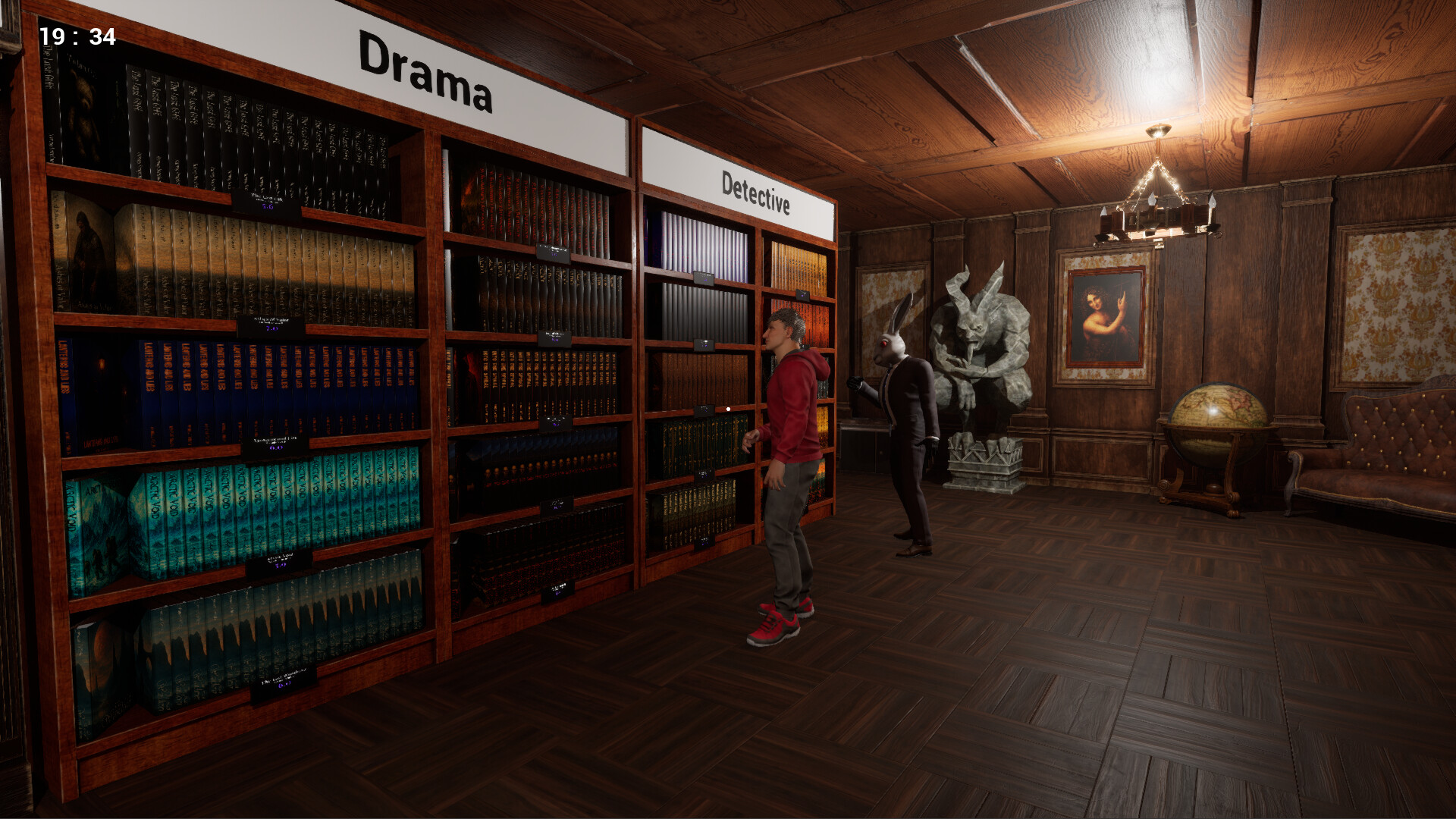
This is my first guide so please be kind! Also, I am just building this guide as I play the game. Please feel free to comment things to add in or ask questions. <3 This is a spreadsheet that I created to help do the math automatically: https://docs.google.com/spreadsheets/d/1SrYqeVwAU4gbOAUfUqWvL_JYbPPf7GeRzqyEOlo4axU/edit?usp=sharing Spreadsheet is DONE now! If you make a copy then you will be able to edit your copy of it. For those who aren't used to Sheets: If you click "A" then hit "space", it will check all boxes and "space" again will uncheck all boxes. If you right click "A" and hit "Sort sheet Z->A", it will sort the sheet by what you have in stock (or checked). If you right click "B" and hit "Sort sheet A->Z", it will sort the sheet alphabetically by book name. Column C is the Markup Price. You can pick from the dropdown menu or type your own number in, and it will auto-calculate the Price for the entire list for you. 100% is Cost, so 175% is a 75% Markup. If you right click "C" and hit "Sort sheet A->Z", it will sort the sheet by price. D is what you pay per book. E is profit per book F is the Price price you pay per box. If you right click "G" and hit "Sort sheet A->Z", it will sort the sheet by Genre. If you right click "H" and hit "Sort sheet A->Z", it will sort the sheet by Level required to unlock. What to expect? This game is chill BUT requires strategy. I have found several different strategies that work. Your choices DO MATTER. Nearly everything affects your sales or foot traffic. Sometimes customers just browse. Customers can lie in reviews (It's rare). Where is my store? When you leave your apartment, turn left, then left at the intersection, then right. It has a pillar of pink light in front of it. Personally, I think that the fact that the store is hard for some to find proves my next point... Buy a Sign This is the MOST important thing to do when you start. The starter sign will only give you 1-2 customers a day. Buying a better sign means better passive everyday traffic. The sign is either 150 or 170, depending on which design you like better. Once you pick a sign that choice is permanent because the other signs will no longer be available. Buy a shelf! Bookshelves are 150 each. To place the shelf use "R" to bring up the Upgrade menu. Click a spot then click "Install" On the the item you want to put there. Buy Books! The starter books are 50 per box of 20. There are 9 genres (not counting magic since it's not available at the beginning. Diversity - Buy 1 of each Genre Every customer has unique preferences. So having every genre available means you cater to every customer. At this point depending on how many shelves you got and which sign you have probably spent between 750-920 of your 1500 starting money. Book orders placed between 6:00 and 21:00 come immediately. Orders placed at night come first thing in the morning at 6:00 am. The truck will honk when he arrives! The books will be outside your back door in your loading area. You must clear the loading area to place another order and you can only have one active order at a time. Cleaning Don't forget to clean your store! This is pretty easy. Just press "E" to pick up trash once you get enough to fill a bag, a trash bag will appear in your hand. Take the bag to the trash outside behind your store, in the delivery area. There is a mop near your computer for spills and debris. Pricing At the start you can throw those prices up to max for a big chunk of money right away. If you leave it up there though, it will start to slowly drop your start rating (which means less passive foot traffic). So maybe once your advertising ends, take it down lower. Markups: 50% - Nearly every customer will buy something cause your books are cheap. Reviews compliment prices. 75% - Most customers will buy something because of cheap prices. Compliments on prices. 90% - Noticeably less customers purchase. Still good reviews though. 100% - Half of customers will buy books. You will get mixed feedback on prices. 150% - Most customers will browse and not purchase. You will occasionally get bad reviews because of your prices. (This gets worse the longer you leave it at this price, but you could temporarily boost them.) If you are using my spreadsheet add 100 to these numbers. So 150% Markup in the spreadsheet is 250%. (Cost + Markup) Open the store & Sell a book Click the open/closed sign outside your front door to open. Customers will come in and browse. Once they are ready they will line up at the computer to checkout and a chime will sound. This icon in the pink box is your checkout software. You go to "Orders" on the left side and then it will show their order. Just hit "Confirm Order" at the right side under the order to check them out. You can leave this screen open if you alt tab to do something so you can see the order appear. (For me the chime doesn't sound when I am alt tabbed.) Advertise! This is really important especially in the beginning. If you want a fast start, do the 300 for one day (be ready before you open if you select this). The 100 a day for a couple days offers a steady start. Advertising is nice when you need a boost to sales. You don't need it all the time, but it's nice. Restocking You can use this stack of empty boxes to get a empty box to move books around from shelf to shelf. Once you sell out of a book, it's shelf is still reserved for it. This is for later when we get the skeleton helper, cause he can restock or clean. For now there is no way to clear an empty reserved shelf. So you can reorder the book, put them on the shelf and immediately take it back off to clear the reserved spot for that book. OR you can move the books you no longer want to carry to a separate shelf and once they sell out, remove the shelf and then put it back down to clear all the reserved spots. Star Rating Reviews are actual feedback! Things that customers comment on: Cleanliness Organization (Shelf Labels) Prices Checkout Speed (Self Checkout makes this one easy, purchase it for 800) Diversity of Books (Each genre represented) Quantity of Books (Empty shelves or lots of books) *Remember you do get a random liars in your reviews! So ignore a single bad review but if you get multiple bad reviews... You are doing something wrong and need to listen and change. For example, this last guy is a liar, since I have self checkout. Customer Traffic Things that boost customer traffic: A BETTER SIGN Better Star Rating (Above 4 stars is where you will see it get noticeably busier) Advertising Loans Each Loan is a ONE time use each. You can go in the negative money if you don't plan ahead. I recommend having a strategy that works to make money before you use these. Banners I have no idea what these do for sure. I think they help foot traffic (maybe like the Sign) or maybe they help you sell more of a specific genre? They may be just aesthetic. Anyway, whatever they do... Once you pick one it is permanent and costs 50. To unlock magic you have to purchase the first two Hall expansions! Once you buy these, The Magical Books tab opens. Magical Books cost 400 for 20 books and go on a Magical Bookshelf, which costs 320. Magical Books have set prices, they sell for 40 each (cost 20 each). Magical customers are steady income that are not affected by advertising. (Makes sense, since they are from other realms.) So Magical customers become passive income. You can slowly build this passive income to open more portals to other planes for more unique customers! Peronal magic books can only be purchased one at a time. Once purchased, you must search the city for the pink pillar of light. This tells you where your friendly extraplanar delivery hand is going to open a portal at. There is two places he can appear. The most co
ИсточникGHub Platform · автор06.09.2026, 08:11:02
This is my first guide so please be kind! Also, I am just building this guide as I play the game. Please feel free to comment things to add in or ask questions. <3 This is a spreadsheet that I created to help do the math automatically: https://docs.google.com/spreadsheets/d/1S…
Войдите, чтобы писать в группе