How to make the game infinitely better:
GHub Platform · Гайд · 0 ответов · 21 просмотр
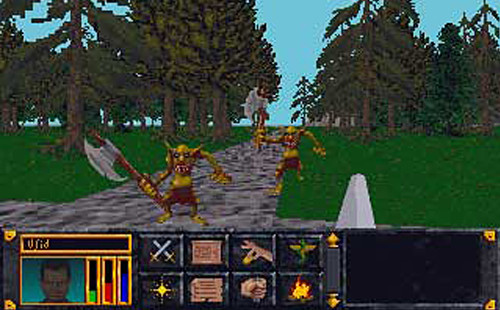
Just push F4 to make the game better. In this game F4 will disable/enable "pixellation", which is the game's term for how every dialogue box does a silly little 'fade in' effect. Normally, when you click on a person to talk to them, the dialogue menu takes a second to load in. You have to either wait for this silly little effect to finish, or click a second time to make the menu load in immediately. And when you select what dialogue option you want, the same thing will happen to their dialogue box. So you end up clicking like a madman and wasting time just to get through a simple conversation. Annoying. But if you just hit the F4 button on your keyboard, then this pixellation effect won't happen anymore. You can just go through conversation screens without dealing with these irritating little UI effects. Hooray! And if you actually miss the little effects then just tap F4 again to make it come back! The keyboard shortcuts for this game can seem a little arcane, but they're quite useful once you get the hang of them. I've noticed that this tip never seems to be mentioned on guides/walkthroughs for this game and it makes it far more enjoyable in my opinion. While you're at it visit the Unofficial Elder Scrolls Pages [en.uesp.net] for a whole bunch of good info on this game and other old ones. --- Источник: https://steamcommunity.com/sharedfiles/filedetails/?id=2800187319
ИсточникGHub Platform · автор06.09.2026, 12:33:25
Just push F4 to make the game better. In this game F4 will disable/enable "pixellation", which is the game's term for how every dialogue box does a silly little 'fade in' effect. Normally, when you click on a person to talk to them, the dialogue menu takes a second to l…
Войдите, чтобы писать в группе