Playing Ghost Recon in 2026
GHub Platform · Гайд · 0 ответов · 9 просмотров
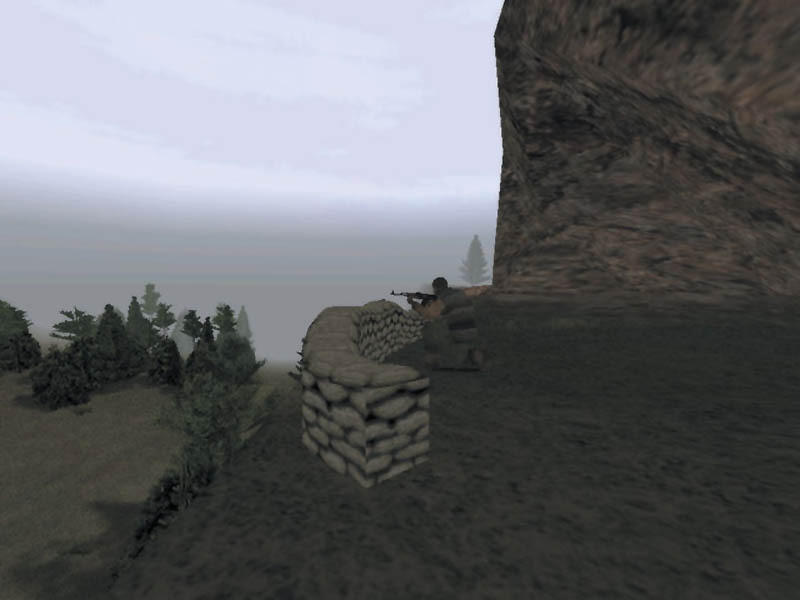
First off, Ghost Recon has a very popular mod called Heroes Unleashed. It contains hundreds of custom missions, loadouts and more - making this game never ending. You can install the mod here: https://www.ghostrecon.net/heroes_unleashed/ (this is a very cool website that has been the main host for every single Ghost Recon mod ever made since the early 2000s - very cool site to check out if you're a fan of the game) Here is a tutorial on how to install the Heroes Unleashed Mod on your PC. 1. Install the base game from Steam, GoG or CD and the Desert Siege/Island Thunder addons if you own them. 2. Download the Heroes Unleashed Mod from the link above. It will install it as a 7z file. Open the 7z file and install the mod by dragging the "Heroes Unleashed" folder into your "Mods" folder located within the Ghost Recon game files. (EXAMPLE: steamapps/common/Ghost Recon/Mods) Heroes Unleashed comes with some changes that are optional. You can revert these changes back to the original by applying these steps to whatever you would like to revert to. I personally like to change a couple of settings in this mod before moving on. 3. Fix the legacy zoom option by going to Ghost Recon/Mods/Heroes Unleashed/XTRAS/HU Add-On Mods/ and open the 7z file called "HU - Legacy Zoom" and drag the folder inside to the Ghost Recon/Mods folder. This makes it so you can still zoom in with guns that don't have a 4x or higher scope. This was in the original game but the mod took out the ability to zoom with guns like the MP5. This fix restores the zoom function. 4. Fix the main menu music by going to Ghost Recon/Mods/Heroes Unleashed/sound/music and deleting "action1" and copy/pasting "action1_o" and renaming it to "action1". This is just personal preference. I think the OG music is so iconic and the mod added a new song for the main menu. So this replaces it back with the original song. 5. Launch the game and go to Options > Mods and activate the mods. Don't forget to prioritize HU - Legacy Zoom and Heroes Unleashed so they are on the bottom of the mod list. Tom Clancy's Ghost Recon is an older game that uses very weird keybindings by default. Here are some settings to help the game feel modernized. (similar to games like SQUAD, Escape From Tarkov or ARMA). GAMEPLAY: Gore: ON Intro Movie: OFF Threat Indicator: OFF IFF: Trainer Large Command Map: ON Large HUD: ON Replay File: ON Corpses: ON Initial Rate of Fire: Full Auto Run Toggle: OFF INPUT: Use Item: Left Click (Button 1) Run/Walk: L. Shift Zoom In (Analog): Wheel Up Zoom Out (Analog): Wheel Down Reload: R Move Forward: W Move Backward: S Move Left: A Move Right: D Drop Stance: C Z Raise Stance: Space X Lean Left: Q Lean Right: E Switch Equipment: 1 Zoom In: Right Click (Button 2) Zoom Out: Perform Action: F Shuffle: L. Control Change Rate of Fire: B Toggle Night Vision: N V Put Away Equipment: L T Select Team Alpha: F1 Select Team Bravo: F2 Select Team Charlie: F3 Order Hold: 4 Order Advance: 5 Order Advance At All Costs: 6 Order Recon: 7 Order Engage: 8 Order Suppress: 9 Select Next Team Member: 3 Select Previous Team Member: 2 View Map: View Soldier Stats: R.Alt / Option Toggle Map: M Toggle Public Chat: Y Toggle Team Chat: U Toggle Console: ` Toggle View (Observer Mode Only): F10 Toggle Observer Mode: F9 Take Screenshot: F4 Quick Save (Cheat): F6 Quick Load (Cheat): F7 Toggle Action Interface: F5 Toggle HUD Soldier Panel: F11 Toggle HUD Weapon Panel: F12 Chat Messages: Numpad 0-9 View Multiplayer Leaderboard: Tab Quick View Command Map: L.Alt / Option Quick View Soldier Stats: Accelerate Replay Playback: = Decelerate Replay Playback: - Pause Replay Playback: P Mouse Speed: 0.1 Reverse Y-Axis: OFF GRAPHICS: Resolution: (Highest) Depth Buffer: 24 Bit Effect Detail: High Shadows (Vehicle): Detail Shadows (Character): All Detail Models (Vegetation): High Models (Character): High Textures (Map): Hgh Textures (Character): High Textures (Effect): High Distance Effect: ON Image Compression: OFF Character Smoothing: ON Brightness: 50 Max Bullet Holes: 100 Now that the game is installed with the Heroes Unleashed mod and your controls are updated, you are ready to play the game on Singleplayer. If you want to play Multiplayer with your friends, continue on with the guide. TO PLAY WITH FRIENDS ON DESERT SEIGE OR ISLAND THUNDER, MAKE SURE EVERYONE HAS THEM INSTALLED. Playing this game with a friend is more complicated than it should be. Unfortunately, we have to go through a few more steps before we can play online with our friends. Here's the proper way to get multiplayer Ghost Recon working in 2026. All players wishing to play online multiplayer must follow these steps! 1. Inside the Heroes Unleashed Mod folder, navigate to the XTRAS folder and open up the folder called "GR Online Multiplayer Clients" and open and run the one that says "Hamachi PC". 2. Download Hamachi (a free online program that creates a virtual LAN signal from your PC to whoever you share your Hamachi server with; allowing anyone to connect to your computer as if you're both connected via LAN) You will then need to create an account (which is 100% free with no credit card sign ups or anything weird like that, you just need an account so you can connect with friends.) 3. After Hamachi is downloaded and opened on your desktop and your account is logged on, you are ready to either host or join a game. To host a game: Open the program LogMeInHamachi, select Network and choose "Create a new network..." Then name your server and choose a password. Next, launch Ghost Recon and go to Multiplayer and while the LAN tab is selected, click on "Run Server" just above it on the top left. This will put you in a pre-game lobby where you can change the maps/gamemode settings while waiting for your friends to join up. To join a game: Select Network and choose "Join an existing network..." Then type the name of the server and password. Next, launch the game and go to Multiplayer and you should see the server under the LAN tab. Now you can play Ghost Recon (2001) online in 2026 with modernized controls! --- Источник: https://steamcommunity.com/sharedfiles/filedetails/?id=3684173940
ИсточникGHub Platform · автор10.09.2026, 10:44:05
First off, Ghost Recon has a very popular mod called Heroes Unleashed. It contains hundreds of custom missions, loadouts and more - making this game never ending. You can install the mod here: https://www.ghostrecon.net/heroes_unleashed/ (this is a very cool website that has been…
Войдите, чтобы писать в группе