Как использовать НОВУЮ версию 1.0 Force Engine, чтобы получить наилучшие впечатления от Dark Forces!
GHub Platform · Гайд · 0 ответов · 3 просмотра
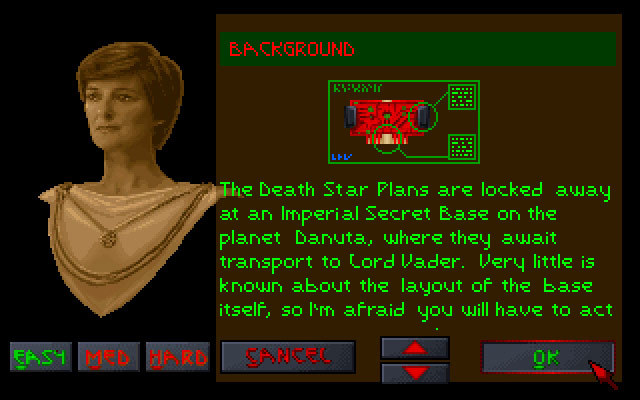
Do you like mouselook? Do you like high resolution? Do you like quicksaving? With Force Engine 1.0 you will have the best experience with Dark Forces! Good question! Right here! [theforceengine.github.io] ! Go to Downloads on the left side bar and download V1.0! Or just press here [theforceengine.github.io] again. Make sure to have Dark Forces installed on either GOG [www.gog.com] or just here https://store.steampowered.com/app/32400/STAR_WARS__Dark_Forces/ You need this because well ofcourse you need a the game. Buy the game. It's good. aWKJDHP)*AYUWIDB:AWJDNPAWJdbn I COMPLETELY FORGOT... JOIN THEIR DISCORD IT LOOKS COOL PEOPLE TALK ABOUT F.E.A.R JUST JOIN [discord.com] IT OR HERE https://discord.com/invite/hpsJnY9 Alright, that out of the way! Let's get to installing. After downloading you should have a .zip file. Right click that baby and extract it inside your Downloads folder. Tip: Make sure to extract it to TheForceEngine-v1.00.000\, this way it will extract itself as a folder. dont mind the dutch just follow the picture Once extracted, I'd recommend moving it somewhere on your drive, and shortcutting it to your desktop, but let's say you're a barbarian; Open the foler in Downloads. You should get something like this: So what you are looking for is "TheForceEngine.exe". Right here! Press it. Please. Just press the exe man. OH almost forgot it might give you a Windows Defender Pop up like this but just press "More details" and "Allow Anyways" So, you pressed Start and you got an error. Oh you silly man, that's why I made this guide you dummy. Go into "Settings" and then "Game" as shown below. P.S: While you're there, make sure to check the Dark Forces settings below too. Things like Auto Run and Boba Fett fix, also a Secrets pop-up when you find one! Once on the game tab, press "Browse" as shown above. This will open up Explorer. Go to your install folder where Dark Forces is located. If you dont know how to get there, just right-click the game on steam and press "Browse Local Files". Once you know where the folder is, go back to The Force Engine and select browse again as shown before. Navigate to said path and select the "game" folder and open DARK.EXE Now, Graphics settings. Every PC gamer ever goes to their Graphics settings first before starting something new. Go to "Graphics" on the left. These are all my recommended settings for the Graphics tab. 2. Turning on Fullscreen 3. Turning off V-Sync (who likes that garbage) 4. Press Widescreen 5. Select "1080p" from the dropdown list 6. Enable Crosshair but set it to 1. This makes it a small green dot. Adjust to your liking ofcourse. You're here because you played before... right? You know how to start... right? JUST PRESS IT MAKE A NEW AGENT CALL IT POWERHOUSE BECAUSE THAT'S EXACTLY WHAT YOU ARE Voillá! Good luck and have fun, it's really good! Hi! I'm Nolle! I'm very active on Twitter, and if you are into "Boomer Shooters" as much as I am, I have maybe some Twitter pages for you to follow. First of all my own . Mainly stupid tweets. Don't really know what to do with it. I also co-host Out of context Boomer Shooters . Meme's, bad takes, opinions and just boomshoot stuff! And my own page I'm very proud of, and are the most active on, Boomshoot Aesthetic ! Oh how convenient, a Dark Forces post. With the same screenshots. Must've been stolen... That's it, thanks for looking at my guide and I hope Dark Forces is a little less frustrating to play now. Enjoy! --- Источник: https://steamcommunity.com/sharedfiles/filedetails/?id=2904521750
ИсточникGHub Platform · автор10.09.2026, 13:00:01
Do you like mouselook? Do you like high resolution? Do you like quicksaving? With Force Engine 1.0 you will have the best experience with Dark Forces! Good question! Right here! [theforceengine.github.io] ! Go to Downloads on the left side bar and download V1.0! Or just press he…
Войдите, чтобы писать в группе