Full Guide for the Old Version (3.2.8) (OUTDATED, WORK IN PROGRESS)
GHub Platform · Гайд · 0 ответов · 3 просмотра
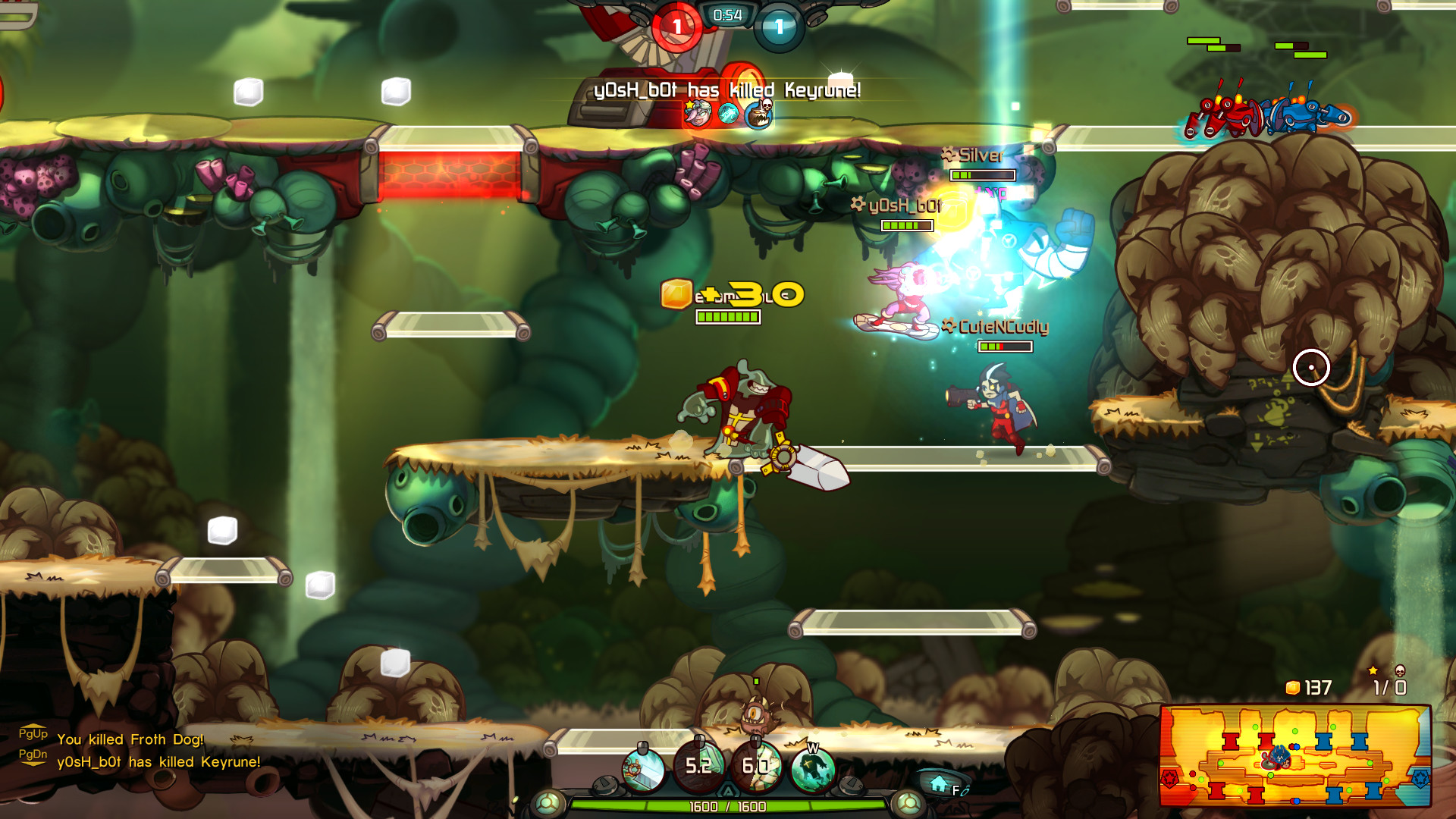
The guide is still a WIP and is constantly being updated. If you have any feedback, suggestions ,corrections or want to add something, DM me . Awesomenauts is a 2D platformer/brawler MOBA, there is no other game like it! The game has been updated and played constantly for over 10 years, and nowadays it has a small but loyal community. Its IP ownership has been bought by Atari, and during this transition, we are looking to revitalize the community and bring in some new players! It's free to play on Steam and you can play over 19 awesome 'nauts with unlockable items. 🚀 Check out our trailer for a peak at what the game offers. ❓How to play? It's free to download on Steam! Do all the tutorials first. Then warm up with some bot matches until you feel familiar with the structure of the game and you learn the basics of a few characters. For more character-specific tips, check out the guides. Stay together with your team, try to cooperate and communicate. Experiment with playstyles and different builds. Start with nauts labeled with Easy or Medium difficulty on the naut select screen. Try to also learn the abilities and items of your enemies so you know what kills you. Pressing tab in a match and hovering over any player will show you their abilities and items, make sure to read these as well when you have time. Knowing an enemy or ally has a certain upgrade can make all the difference in your decisions. Also, if you want to read character abilities and items more in depth when not in a live match, check further in this guide, open a bot game or to to the https://orikaru.net/nautsbuilder website. Custom and Bot Matches This will allow you to play a bot match with computer-controlled players as your fellow teammates. These matches are an easy way to practice in your spare time. Custom matches allow you to invite up to five players to play against each other in several different games modes! The best difficulty to set the bots on is probably the default one. Less or more than that, the bots are artificially weakened or empowered by modifying their base attack speeds and cooldowns. This is not a good way to learn the game, since you need to hone your gamesense. There's no point learning to play against a Froggy who can dash every 2 seconds, that will throw you off in a real match, where you need to know the precise stats of nauts. NOTE: on this version, there is a bug that prevents a custom lobby with more than 3-4 online players from starting. To solve this, the host should start the custom match by himself or with only his 2 teammates present in his team by pressing ready, and when they are in the nauts selection screen, they should invite the other players thru stream invites. Some abbreviations and terms found in this guide, online and in-game: GAMEPLAY TERMS AA An Awesomenaut's basic attack (Auto Attack). Example: Lonestar's Blaster: META TERMS comp Team composition, also sometimes used for "competitive", meaning organized/ tournament play. GOAL OF THE GAME Awesomenauts is a 3vs3 game. The goal is to reach the enemy's drill core and destroy it. Both teams need to fight it out and push using the available droids. You can only access the enemy's drill core after you've sieged past their defending turrets. Each solar drill has 12000 HP. Try staying together with your team and attack with your abilities at the same time or in combo. SOLAR Solar is the in-match currency to buy upgrades with. It is gained passively throughout the match, but also collectable across the map. There are 2 types of solar coins: silver give 1 solar gold give 5 solar Grab as much as you can if its in your way, and make sure you get the gold drops from the droid waves, instead of your enemy. Things that also earn you solar: Creeps 3 solar HIDDEN AREAS Hidden areas are spots where you can stay out of sight from the enemy. As long as an enemy has no members inside a hidden area, they can't see who or what is inside. Use these to get the jump on an enemy. Team summons (bull, chucho turret etc) reveal the area while they pass thru it. Ppl usually also hide traps in here, mines etc. But most of them have an audio beep associated to them, so look out for that when approaching a hidden spot. TELEPORTING If you hold down the F key, you can teleport back to base! Hold it for 3 seconds to activate the teleport. Just make sure that nothing hits you while you are teleporting or the teleport will be canceled. You can teleport while falling, or having inertia from movement. Some nauts can TP while floating. MINIMAP The minimap is a very useful tool to spot enemy Awesomenauts, droids and health resources. It takes a while to get used to, but once mastered becomes a very vital tool to gain knowledge, surviving and killing opponents who are out of position. MATCH XP SYSTEM Both teams start at XP-Level 1 and the maximum is 20. If your team gathers enough XP, you gain a level. Each level up gets you +3% overall damage, +4% HP (goes for Healthpacks and Creeps aswell) and +3% HP regeneration to your base stats. Droids also increase in damage and health by 3,5% each level. To prevent a team from getting ahead too quickly, you get less XP for killing enemies that are a lower team level than yours and more XP for killing higher leveled teams. If you fall behind, don’t worry. Killing an enemy grants you more XP when behind then if you are ahead. Ways to earn Experience Points: Killing droids and creeps Solar Boss Enemy Awesomenauts (main XP income) Turrets VOICE COMMANDS Using the keys 1, 2, 3 and 4 on your keyboard will send out an audio voice command spoken by your naut and will also display a relevant notification on the screen of other players and on the minimap. 1 - Taunt - Your naut will insult the whole enemy team and send them a taunt notification on their screen. It has no function other than to tilt the enemy, and can be muted along with every other form of communication of the player by muting them from the scoreboard screen. 2 - Help! - Your naut will call for help to his other 2 teammates. This displays a notification on their screen and puts a pulsating exclamation mark (!) on their minimaps on your location. Players usually use this when they need help in a teamfight, when they're low hp and being ganked or when they want the whole team to group up, preparing for a coordinated attack. 3 - Defend! - Your naut will ask his other 2 teammates to defend. This displays a notification on their screen and puts a pulsating exclamation mark (!) on their minimaps on your location. Players usually use this when they're TP-ing to shop for whatever reason, when they're low hp and falling back, or when they're dead and want to ask their team not to take any risks or attack by themselves, and instead safely defend the turrets and droid lanes until the dead player respawns. 4 - Attack! - Your naut will ask his other 2 teammates to attack. This displays a notification on their screen and puts a pulsating exclamation mark (!) on their minimaps on your location. Essentially, the opposite of the Defend command. Players use this when they want their team to be aggressive, initiate a fight or push lanes and turrets, especially when one or more enemies are dead and they can't defend themselves properly. SCOREBOARD By pressing TAB in a match, you open the scoreboard. Here you can see live stats for all the players in the match. Pressing the button to the rightmost of a player's row will mute their voice commands and chat messages. This persists for future matches for about a day. Hovering over a player's row will select them and will bring up their bought items and abilities on the bottom of the scoreboard. You can hover over them to read their effects, stage and solar cost. You cannot access player's steam profiles from here, but you can do so from the steam overlay by clicking on Game Overview > View players. Currently there are 5 maps in matchmaking. Ribbit IV' s unique feature is the Solar Boss
ИсточникGHub Platform · автор10.09.2026, 13:58:10
The guide is still a WIP and is constantly being updated. If you have any feedback, suggestions ,corrections or want to add something, DM me . Awesomenauts is a 2D platformer/brawler MOBA, there is no other game like it! The game has been updated and played constantly for over 10…
Войдите, чтобы писать в группе