Несколько полезных замечаний
GHub Platform · Гайд · 0 ответов · 5 просмотров
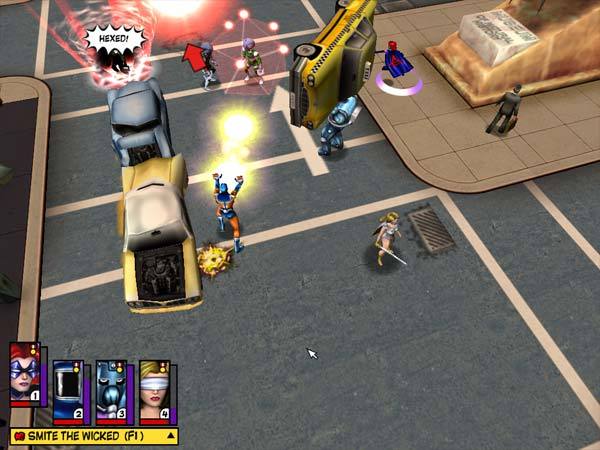
Not so long ago I've finished my yet another walkthrough of this wonderful game and I thought that I should share with you some useful information. So, let's start with the: There's a good chance that you'll have troubles with mouse control (e.g. character moves in other direction rather than on mouse pointer, pointer always looks like fist, etc.), to manage this problem use fix from this forum topic. Also, there is no in-game option for turning on V-Sync or limit FPS cap, so, when game runs on more than 100+ FPS you'll run into some problems like crazed mouse sensitivity and sluggish in-game camera movement. I tried using the files from that forum thread that i've mentioned above, but it didn't help, switching V-Sync and using "Max Frame Rate" option in NVIDIA Control Panel didn't work too. So I've decided to use RivaTuner Statistics Server which allows me to lock FPS and it works like a charm! Just launch it, set frametime limit in accordance with your monitor refresh rate (mine has 75 Hz), or lock it on 60 FPS, and don't close it while you're playing Freedom Force. The game was released in 2002, so it's visuals looks outdated but still quite good. For further graphic enhancement I enabled Anisotropic filtering and Antialiasing. In order to set up settings for the game, you should open the NVIDIA Control Panel. In left taskbar, choose "Manage 3D settings", then switch to the "Program Settings" tab on the right side and find "fforce.exe" in the drop-down list. Otherwise, if you can't find "fforce.exe" in that list, add it manually using the "Add" button. My settings for Freedom Force app in NVIDIA Control Panel: Anisotropic filtering: 16x Antialiasing - Mode: Override Antialiasing - Setting: 8x Antialiasing - Transparency: 8x Screenshots for comparison: "Impossible!" difficulty is broken and, in fact, it is an "Easy". For comparison, take a look at HP of the first enemy: IMO, Creative Labs EAX 2 provides the best sound ambience and 3D positioning, so if you want to use it you should install Creative ALchemy Universal [community.pcgamingwiki.com] and then manually add Freedom Force to Creative ALchemy, then you'll be able to choose EAX as sound provider. If you've found this guide helpful at least for a bit - I'll be happy to know! --- Источник: https://steamcommunity.com/sharedfiles/filedetails/?id=1635732516
ИсточникGHub Platform · автор10.09.2026, 15:00:02
Not so long ago I've finished my yet another walkthrough of this wonderful game and I thought that I should share with you some useful information. So, let's start with the: There's a good chance that you'll have troubles with mouse control (e.g. character moves in other directi…
Войдите, чтобы писать в группе