Updating Redemption into 2023.
GHub Platform · Гайд · 0 ответов · 13 просмотров
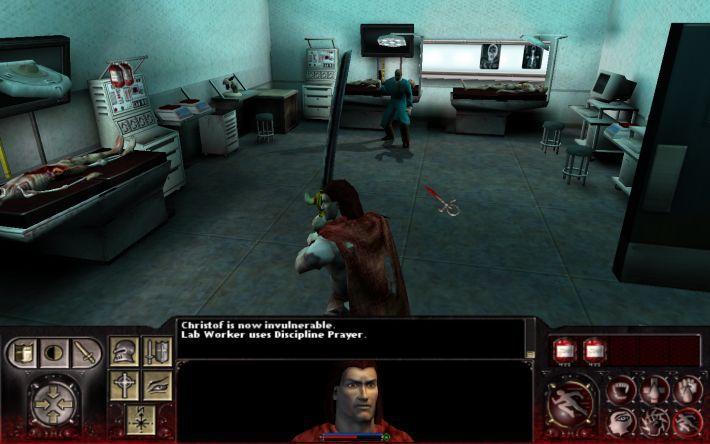
https://steamuserimages-a.akamaihd.net/ugc/2020478643086143513/2C781C862FE3F9271BBA0B824CA3A4F4BC13D9CF/?imw=256&&ima=fit&impolicy=Letterbox&imcolor=%23000000&letterbox=false Follow this step by step. If they are any problems let me know in the comments. 1. Download this mod to fix camera issues and cutscenes. https://www.nexusmods.com/vampireredemption/mods/8?tab=description 2.Download this mod to Fix FOV: https://community.pcgamingwiki.com/files/file/1470-vampire-the-masquerade-redemption-fov-fix/ password = "pcgw" Put exe from 16_9 to your folder and replace the .exe 2.Download dgVoodoo2 to make redemption run in widescreen/ultrawide: http://dege.freeweb.hu/dgVoodoo2/dgVoodoo2/ Insert Cpl/x64 into the main folder Insert MS/x86 into the main folder 3.Run the dgVoodooCpl.exe from the games folder. Set resolutions to your monitor resolution In General pick fullscreen and scaling mode Stretched, Keep Aspect ratio Other options are up to you. 4.Go to masquerade.ini and set up there your monitor resolution Now you are able to play the game no problem but if you want to play it with better textures or a mod that improves gameplay download mods below: First download this mod that upscales every single texture in the game(if you want to use this mod do not turn 32bit texture depth in setttings or the game will crash): https://www.nexusmods.com/vampireredemption/mods/2 After you install the mod above install on top of it this one. This is a newer and better textures mod for characters in the game. Its meant to be on top of the mod above so just replace the files: https://www.nexusmods.com/vampireredemption/mods/5 This is all for texture mods next is gameplay mod that improves stuff like enemy and allie AI, rebalances the game and many more(will break any language translation mods): https://www.moddb.com/mods/age-of-redemption While the game looks great this great reshade can make it look even better. It was made with Bloodlines in mind but still does work great with Redemption: https://www.nexusmods.com/vampirebloodlines/mods/246 And with this we are done. I hope this guide helped you. Have fun. --- Источник: https://steamcommunity.com/sharedfiles/filedetails/?id=2989305834
ИсточникGHub Platform · автор10.09.2026, 16:56:04
https://steamuserimages-a.akamaihd.net/ugc/2020478643086143513/2C781C862FE3F9271BBA0B824CA3A4F4BC13D9CF/?imw=256&&ima=fit&impolicy=Letterbox&imcolor=%23000000&letterbox=false Follow this step by step. If they are any problems let me know in the comments. 1. Do…
Войдите, чтобы писать в группе