Serious Sam Classics Patch
GHub Platform · Гайд · 0 ответов · 11 просмотров
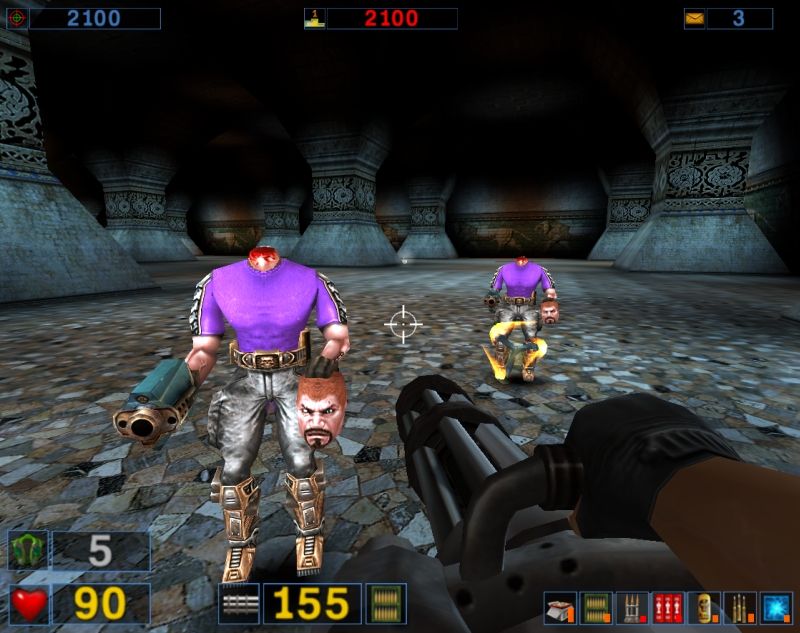
Links Download latest release [github.com] Help & documentation [github.com] Source code [github.com] Itch.io page [dreamycecil.itch.io] Supported games Serious Sam: The First Encounter v1.05 Serious Sam: The Second Encounter v1.05 Serious Sam: The Second Encounter v1.07 More screen resolutions for various aspect ratios: 4:3, 16:9, 16:10, 21:9 and others. Borderless window mode. Fixed vertical FOV (~73.74) on every aspect ratio. Custom FOV command that works in all gamemodes. Fixed "slowdown bug" that occurs after playing the game for roughly 1 hour. Toggleable red screen on damage. Weapon viewmodel adjustment, incl. left-handed mode. Free-fly camera in demos and games with "photo mode" functionality. Working server list with multiple master servers. Content from The First Encounter and Revolution games (incl. workshop) can be loaded and played directly through The Second Encounter. Proper rendering of SKA models (skeletal animations). Modular user plugin system for the game, dedicated servers and tools. ...and even more? [github.com] New features are available for toggling in option configs under the new menu in Options -> Classics Patch . A few presets for quick configuration of the patch are available under Options -> Execute Addon . Some of the patch options. Proper scalable font in NETRICSA. TFE levels in TSE + Custom weapon arsenal via Server Utilities plugin. 4K resolution + Borderless window mode. Working server list. Download [github.com] desired version of the patch ( TFE1.05_<date>.zip or TSE1.07_<date>.zip for Steam). Navigate to your Serious Sam installation folder (e.g. "C:\Program Files (x86)\Steam\steamapps\common\Serious Sam Classic The Second Encounter" or via right clicking on the Steam game and going to Manage -> Browse local files ). Extract contents of the ZIP archive into it. Agree to replace existing files (original unmodified copies of the files are included with an "_OG" suffix at the end of the name). (Optional) Download SE1_ClassicsPatch_<language>.gro and drop it into the game folder to install specific localization for the patch. Starting the game with the patch Right click on the game in Steam -> Properties -> General and enter the following line in the "Launch options" field: +game ClassicsPatchMod Alternatively, go to the Bin directory and rename SeriousSam_Custom.exe to SeriousSam.exe . How to play The First Encounter and Revolution content in The Second Encounter If you're playing through Steam, the only requirement is that The First Encounter and Serious Sam: Revolution are installed in the same Steam library as The Second Encounter (so all folders are under the same "Steam/steamapps/common" directory). For non-Steam versions and other setup instructions, follow the guide here. [github.com] Notes You can rename the EXE file to anything you wish, just make sure to backup the Steam one if you're replacing it. If you get an error "Cannot set function patch..." upon game start, make sure that you've installed the executable for the right game version. Otherwise try restarting your PC. --- Источник: https://steamcommunity.com/sharedfiles/filedetails/?id=2828837859
ИсточникGHub Platform · автор12.09.2026, 13:00:00
Links Download latest release [github.com] Help & documentation [github.com] Source code [github.com] Itch.io page [dreamycecil.itch.io] Supported games Serious Sam: The First Encounter v1.05 Serious Sam: The Second Encounter v1.05 Serious Sam: The Second Encounter v1.07 Mor…
Войдите, чтобы писать в группе