★ Полное руководство по Arx Fatalis [WIP]
GHub Platform · Гайд · 0 ответов · 1 просмотр
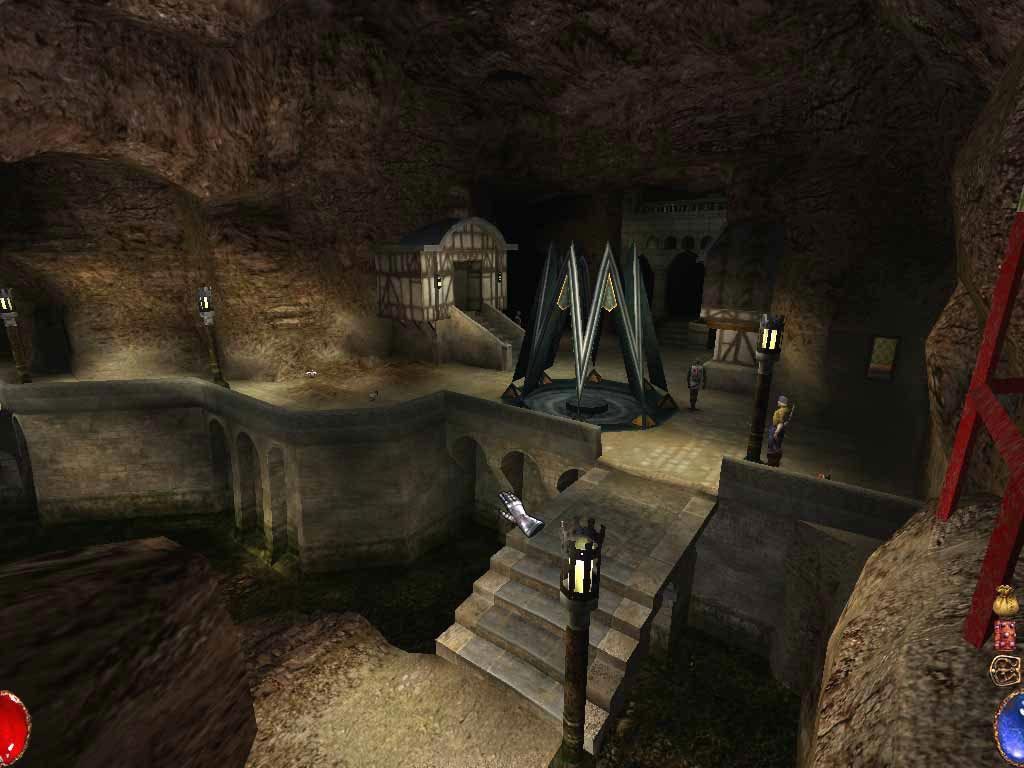
This guide, still in Work in Progress due to the huge amount of information it contains, it's a complete explanation of the Arx Fatalis world. It contains all type of informations starting by simple items knowledge to explanation of all ingame mechanics to (WIP) character builds and quests. This guide born from the idea to spread our knowledge of Arx to all new players, and for everyone who daily still want to play Arx, and for who search answers and help in the steam forums as well. The guide update everyday , in aestethic and content. New born chapters stay in WIP area in the bottom of the guide, ended chapter take their place once ready, so don't worry if you see a different order or chapters, nothing will be erased once added, they just switch position, this happens because we want to put things in order to give you a fluid and logical experience. The guide, features: An already complete list of all items in the game, divided by genre. Provisions (Food and Tools) Jewels Quest Items Items - cut content Weapons Armor Rings An explanation of how to make potions, with complete description of all ingredient, process and statistics An explanation of how to enchant weapons, armor and rings Beginner explanation of runes meaning, complete list of spells and types of scrolls Explanation of all in-game mechanics (Currently worked on) Full explanattion of the HUD and the Player book Basic interactions Combat interactions Fire interaction Magic Interactions All the possible crafting recipes in-game, with detailed process, description and statistics: Food Miscellaneus Forge - Human Forge - Dwarven Forge - Ylside The ultimate weapon A complete list of all shops, including all items every shop sells and buy, and explanation and notes about each important feature of all shop Maria's shop Tafiok's shop Gary's bank Miguel's shop Redset's shop Twin traders Some unofficial fixes: Visible Golden Armour fix; HD Main menu, character sheet and Credits backgrounds; How to manually fix the steam overlay. List of Cheats and secret runes / spells. Disclaimer: Everything listed in this guide use Arx Libertatis as base, and to be more pecise the latest Development Snapsnot. What is Arx Libertatis Arx Libertatis is a mod, that helps to run Arx on moderns systems, they have a website [arx-libertatis.org] and a wikia [wiki.arx-libertatis.org] full of informations. It's free to install. On the websistes it's possible to find an installer and a manual zip file. Libertatis is avaiable for many different Operating Systems, more information in the download page [arx-libertatis.org] . Libertatis is not a Virus Since last year snapshot, some antivirus can give an alert. This situation is well explained in this steam discussion [http//discussions+https] and on this video too, that also provide a full guide on how to install it. Thanks to Noden Gaming Youtube channel for provide this video. We want to remember you, that Arx Libertatis is not a virus, it is safe to install and is almost essential for a better Arx experience. How to Install Note : It is important to remember that for run Libertatis, is of course, required a copy of the game, from Steam, GoG, Microsoft store, Xbox store or from CD ROM. Do not use the demo version of Arx, it will craete bugs and issues along the way. In case of installation from CD rom, you have to check if the game has the 1.21 patch, if not click on this link for download [cdn.bethsoft.com] it. After download the exe file, you have to run it and follow the instructions. This only for CD ROMs installations . Go to the official Libertatis [arx-libertatis.org] for download the latest version, or go to the wikia [wiki.arx-libertatis.org] for access, also, to the latest Development Snapshot. The first two squares are the Installer, first one for windows, second for Linux. Second tow squares are the .zip for the manual installation, first for Windows, second for Linux. For other Operating system, the links are listed below, in the download page, with all informations needed. Icon Name Code Description Group Price Stack Health Bonus Set_food Icon Name Code Description Group Price Stack Icon Name Code Description Durability Group Price (Default / Identify) Identify Icon Name Code Description Enchanted Poisoned Group Weapon Material Price Aim time Icon Name Code Description Enchanted Poisoned Group Weapon Material Price Aim time Icon Name Code Description Enchanted Poisoned Group Weapon Material Price Aim time Icon Name Code Description Requirements Entanted Group Price Icon Name Code Description Requirements Entanted Group Price Icon Name Code Description Requirements Entanted Group Price Icon Name Code Description Step 1 Step 2 Step 3 Object Knowledge Req Price Icon Name Code Description Process Stack Price Icon Name Code Meaning Description Spells Price Level 1 Icon Name Formula Effect Mana Cost Target Time Secret Level 3 Icon Name Formula Effect Mana Cost Target Time Secret Level 5 Icon Name Formula Effect Mana Cost Target Time Secret Level 7 Icon Name Formula Effect Mana Cost Target Time Secret Level 9 Icon Name Formula Effect Mana Cost Target Time Secret General explanation of color coding Note that the level of magic shows the power of the spell, it's not a requirement, even a non magic player can access to level 10 magic in this way. Also even if there are two same scrolls by name, the level/color determine its strenght. Icon Code Color Level Legend: Top Right Corner: The stair icon shows that there is a change level nearby The down icons show all the active spells Map pf the current level Bottom Left Corner: Torch slot shows that there is a torch (or a candle active) Life bar shows player HP, double click on it to see the correct amount Gear durability, weapon, helmet, chestplate, leggings and shield. The color go to yellow when the gear is at half durability, to orange and red, that is very close to broke. Precast spell, maximum 3 can be precast in same time. Here there will be precast spell by player or by reading a scroll. Bottom Right Corner: The cross showcase that the player level up and still have unused point Money bag shows the amount of money the player has Player book Belt, can be used to open the player inventory or rearrange the items in the inventory by double clicking on it Mana bar, shows mana level, double click on it to see the correct amount Player Book: The player book consists in 4 different sections: Page 1 Character sheet , made by two different sections: Left page showcase: The full character model where it's possible to check, equip or unequip: Armour - helmet, chestplate, leggings and shield Weapons - melee or ranged Rings - maximum 2 Also here some passive statistics can be checked: Armour Class, represented by a shield with inside a sword; Resistance from Magic, represended by a shield with inside a magic star; Resistance from Poison, represented by a shield with a snake inside; Health points, represented by a heart; Mana points, represented by a pentacle; Damage points, represented by a sword Right page showcase: On the top left corner - the current player level, and if double click it will say how much Xps needed for the level up; On the top right corner - the current Xps point; The 4 upgradable Attributes: Strenght Mental Dexterity Constitution The 9 upgradable Skills: Stealth Mechanical skills Intuition Ethereal link Object Knowledge Casting Close Combat Projectile Defence Page 2 Spellbook , made by two different sections: Left page constist of all spells known by the player, if the spellbok is complete, there will be 40 spells divided in 10 levels; Right page consists of list of all known runes, a rune is known when is find and used by the player, clicking F on it. Page 3 Maps , divided in two sections: Left page enlist on the side all the 8 maps, by clicking on one of the numbers a map of the full level will open on the page, showing the points of interest with a red cross and the player with a red tri
ИсточникGHub Platform · автор14.09.2026, 00:31:07
This guide, still in Work in Progress due to the huge amount of information it contains, it's a complete explanation of the Arx Fatalis world. It contains all type of informations starting by simple items knowledge to explanation of all ingame mechanics to (WIP) character builds…
Войдите, чтобы писать в группе