Руководство для нового игрока
GHub Platform · Гайд · 0 ответов · 1 просмотр
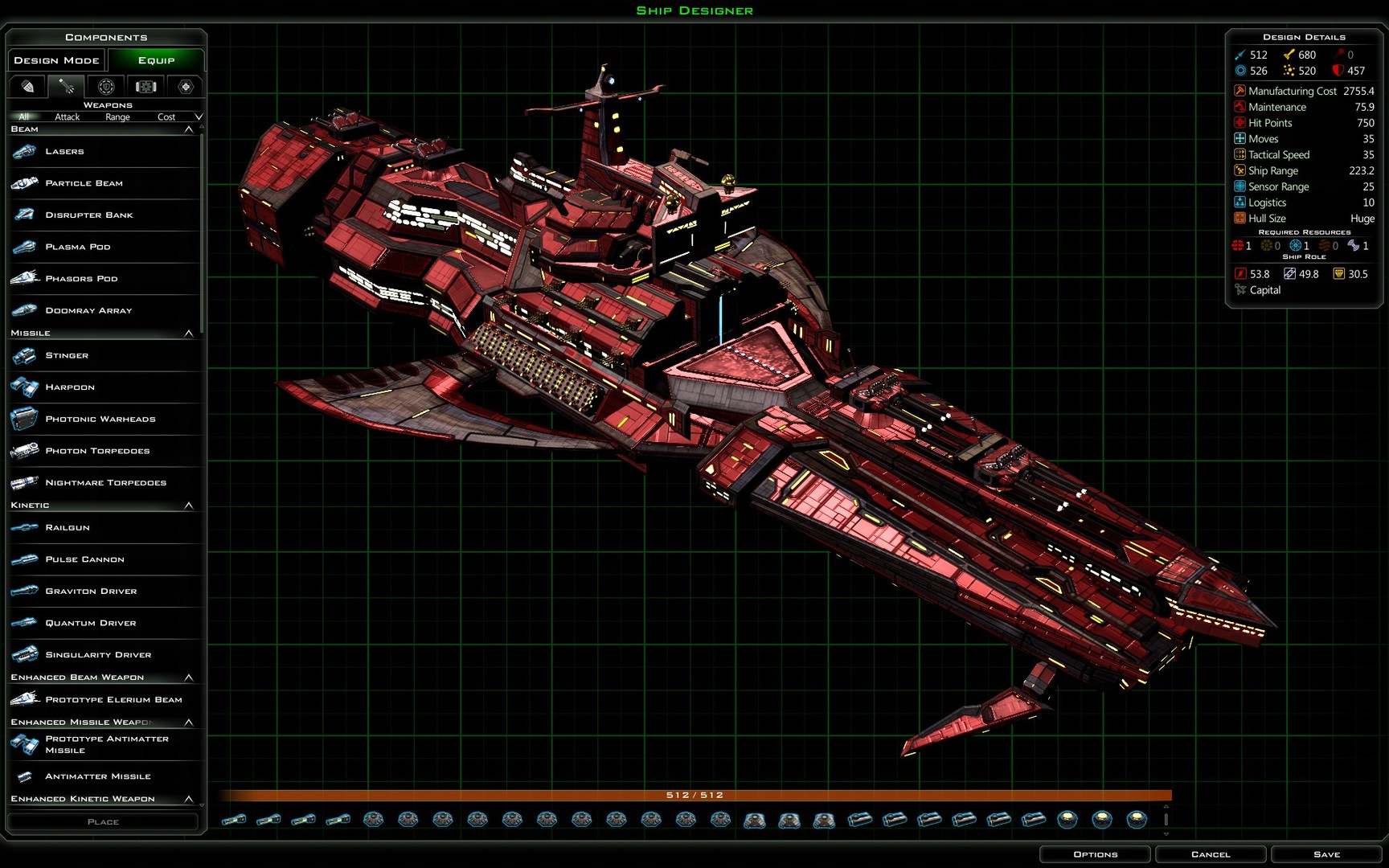
Welcome to Galactic Civilizations III you are in for a universe of endless possibilities…. This guide will cover most of the basic game functions as played out through the tutorial. This will help you prepare to take on the aliens in the vastness of space that is Galactic Civilizations III. As a new player I suggest that you pick normal difficultly to start with it has a very good balance to the AI strategies. Empire Management Menu Menus to manage everything in your empire. Progressing through the tutorial these menus will be explained in this guide. Mini Map The mini map contains information about your empire’s amount of credits, population, approval, and what turn you currently are on. There are also tabs for a small galaxy window, graphs for empire statistics, and the power rating of all known empires. Selected Menu This is the information menu of what is currently selected. This could be a ship, planet, starbase, etc. You can hover over any area for a more advance tool tip for what is being displayed. You can also click in the name area and change the name of the selected unit. Quick Click Menu Clicking on any item in the tabs will quickly take you to the unit. Very helpful in a large empire and you are trying to find something in the vastness of the universe. The first tab has a list of all your colonies in order last colonized. The second tab has your shipyard and ship information. The third tab has your starbase information. The forth tab are for rally points. The last tab has the empire event log. Currently there is no way to change the sort order for the selected tabs. Select your colony ship and click on the planet the Iconians provided for you named Refuge. Planet Screen Planet Statistical Section This displays all the information for this planet. You can hover over any icons for more detailed information on the values. Improvement and Build Order Section A description of the planet. Lore information. This section contains all the available planetary improvements that you can build based on your current research. To obtain more improvements unlock them via research. All improvements start out at level one. If you have nothing to build you can select a project to boost the selected stat or if you just need to boost the desired stat. Economic Stimulus – Boost to wealth Cultural Festival – Boost to influence Research Project – Boost to research Birthing Studies – Boost to population growth Below the improvements the build order information is displayed. This will show you what is currently being built and how long it will take to build the improvement. You can also buy “Rush” an improvement, but only one per turn. Govern Planet Menu At the bottom left of the colony screen is a button “Govern Planet” this is where you can go to set a planet’s manufacturing, research, and wealth. The best option for a new player is just 50 to manufacturing and 50 to research. You do not need to put anything into wealth until much later in the game. You start with 3000 credits in the tutorial and 5000 in the main game. At the start of a game you are losing less than 10 credits a turn. Currently it is very easy to sell techs, resources, and treaties to the AI for tons of cash. You may never need to put anything into wealth. Also on this screen is the manufacturing slider. This is used to divide your manufacturing between social (building planetary improvements) and military (building ships at sponsored shipyards). Right now this planet is not sponsoring a shipyard and not able to adjust the slider. This means all production is going to social. Once this planet is assigned to a shipyard then half will go to social and half to military. Come back to this screen any time you wish to hurry a planetary improvement or produce a ship faster. This screen is how you set a planet to specialize in research or manufacturing once the planet has had all the improvements built and upgraded. The economy screen from the main menu sets the economy for your entire empire and will over ride this screen. So try to set the empire economy screen first and then the individual planet economy screen afterwards. The best order I have found to get your planets up and running is as follows 2-3 factories (I tend to rush the first 1 or 2 to get things moving) 1 farm Hospital (1 per planet) Then decide what type of planet you want and build improvements for that specialization Research It is good to have a few of these. One will be the main research planet with all the one per player improvements. Manufacturing I tend to have most my planets with a high level of manufacturing if they are not specialized into one of the other options. That way I am able to build large fleets very quickly. Wealth I like to have one large world with all the wealth, tourism, and trade improvements. This is where all my trade routes originate from. Trade and Tourism are free money and need no management. It is the lazy player’s way to management credits. Well I manage most of mine through selling techs to the AI. Influence Planets that are near the outer edge of my empire I like to add a good amount of influence buildings to push my influence farther. Also it will prevent other empires from pushing their influence on me. One thing that influence can do in this game is flip a planet to the player with the highest influence. It is a pretty easy way to obtain a planet. Adjacency System New to Galactic Civilizations III is the adjacency bonus system. Like type buildings boost others next to them. The goal now is to get the best combination of improvements clustered in a ring with the most powerful improvement in the middle. I call this a hub. Example Planet: Improvement types Manufacturing - orange Research - blue Population - green Military - red Influence – light blue Wealth - yellow Approval – light blue Example Improvement Bonus Level 15 Hyperion Shrinker 75% extra space on a ship is huge. Tile bonus There is a random chance that a tile will have a bonus and will improve the type of building when placed. The color of the icon indicates what type of improvement is best suited for the tile. When you click on the tile the information about the tile is listed in the planet lore section. All tile bonuses have a primary and a secondary improvement bonus. That gives you an option to place a different type of improvement. Planet resources There is a random chance a planet resource can be found on a tile. This tile is blocked and nothing can be placed. The resource does get a flat empire wide boost of 5% to various stats and a +2 adjacency bonus to one of the 7 improvement types. The 5% bonus only applies once no matter how many you have, but you can trade these to the AI if you have extra. The bonus might not seem like a lot at the start of the game but when you have 100 planets it is pretty nice. The Technology Tree I want to warn new players that the tech trees are huge. They will take some time getting used too. Also every race has a different technology tree with unique technologies that give custom bonuses, planetary improvements, and ship modules. All technology trees are divided into four areas of research. These names differ between the races. I am going to use the human race technology tree names since you’re playing them in the tutorial. Colonization – Green These technologies unlock manufacturing, research, population, and terraforming abilities. Engineering – Orange These technologies unlock ship drives, sensors, life support, ship hull sizes, and logistics abilities. Warfare – Red These technologies unlock weapons, defenses, and invasions abilities. Governance – Light blue These technologies unlock diplomacy, government, economy, trade, and influence abilities. Technology Ages No longer can you just research to the best technologies and roll over the AI. The technologies are divided into three ages. To progress through the ages you will need to research a number of technologies to unlock the next age. Ag
ИсточникGHub Platform · автор14.09.2026, 03:00:04
Welcome to Galactic Civilizations III you are in for a universe of endless possibilities…. This guide will cover most of the basic game functions as played out through the tutorial. This will help you prepare to take on the aliens in the vastness of space that is Galactic Civiliz…
Войдите, чтобы писать в группе