Improvements for Splinter Cell
GHub Platform · Гайд · 0 ответов · 5 просмотров
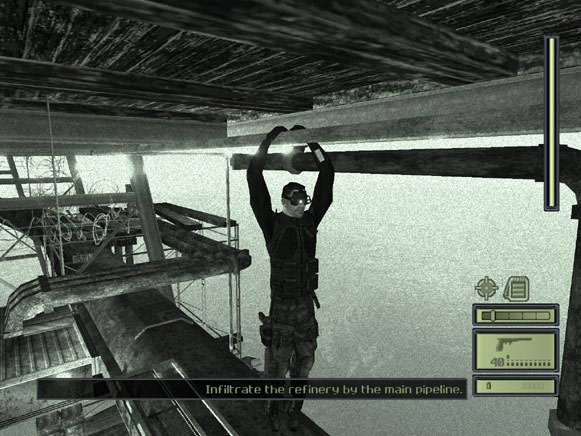
Enhanced SC [github.com] is a major patch I have created to fix bugs and adding gameplay improvements. This patch includes all the fixes below, so the later sections are not necessary unless you want to download PlayStation 3 HD Textures. Downloads: Enhanced SC v1.4b [github.com] Enhanced SC v1.4b Linux (Steam Deck) [github.com] Note: Your original saves will not be deleted, but they will appear as missing. Enhanced intentionally hides them because they aren't compatible with this version. How To: After downloading the patch, extract the contents to your Splinter Cell directory and overwrite all existing files when prompted. You can adjust additional settings in the Enhanced tab within the in-game settings. Linux / Steam Deck Installation: This section is intended for Linux only, and should be skipped if installing on Windows. Enhanced SC, dgVoodoo2, ThirteenAG Widescreen Fix, and Xidi won't load without a DLL override in your Wine prefix. To add the DLL override in Steam, right-click the game in the library and select Properties. In the General tab, add the following to the launch options: WINEDLLOVERRIDES="D3D8,msacm32,msvfw32,dinput8=n,b" %command% In the Compatibility tab, check Force the use of a specific Steam Play compatibility tool and select Proton 10.0-1 (beta) . Other versions may work, but this one has been tested. Downloads: ThirteenAG Widescreen Fix with dgVoodoo2 included [github.com] Note: Do not use this with Enhanced SC, as it will break the installation. Enhanced SC already includes both the ThirteenAG Widescreen Fix and dgVoodoo2. How To: Copy content of archive to the Splinter Cell folder. You may configure additional settings from: system \ scripts \ SplinterCell.WidescreenFix.ini [MAIN] ResX = 0 ResY = 0 ForceShadowBufferMode = 1 // Use with d3d8 wrapper that comes with this fix or any other that fixes the issue. HudWidescreenMode = 1 // Makes certain hud elements offset to screen edges. WidescreenHudOffset = 120.0 // This is the default offset for 16:9. For lower aspect ratios adjusted automatically, for higher you may change it manually. Downloads: DLC Missions [drive.usercontent.google.com] Note: Enhanced SC includes the DLC missions, so there's no need to install them separately. How To: Copy content of archive to the Splinter Cell folder. Three new missions will be added: Kola Cell, Vselka Infiltration, and Vselka Submarine. Note: The DLC missions are pre-installed on the GOG and Ubisoft Connect (Uplay) versions of the game. In Splinter Cell, each map has its own texture package. Ubisoft sometimes reused the same texture across multiple packages, but in some cases, one version was imported at a lower resolution. The PC full resolution textures correct all instances where duplicated textures were downgraded between packages. The PlayStation 3 HD textures originally caused issues with shadows not rendering properly through alpha textures. I’ve recently rebuilt them to fix this problem. However, some of Ubisoft's replacement textures deviate from the original design instead of just increasing resolution. Downloads: PC Full Resolution Textures (Recommended) [Included with Enhanced patch] [drive.usercontent.google.com] Original Post for PC Full Resolution Textures [www.nexusmods.com] PlayStation 3 HD Textures [drive.usercontent.google.com] PlayStation 3 HD Textures (for use with Enhanced patch) [drive.usercontent.google.com] How To: Copy content of archive to the Splinter Cell folder. Comparisons: Splinter Cell was developed with a target frame rate of 30 frames per second. Exceeding this frame rate can cause problems with AI pathing, physics, and other elements that are dependent on frame rate. To minimize these issues, it is recommended to cap the frame rate at 60 FPS, even when using a high refresh rate monitor. By default, Splinter Cell allows for a maximum frame rate of 200 frames per second, often leading to significant issues. How To: There are many programs to use to lock your game at 60 frames per second. Both NVIDIA Control Panel and AMD Radeon Settings have an option to lock the frame rate for a particular game. As an alternative, we also can recommend using the latest version of NVIDIA Profile Inspector [github.com] (for NVIDIA graphics cards only), or using MSI Afterburner. [download.msi.com] Comparisons: https://steamcommunity.com/sharedfiles/filedetails/?id=3586803351 https://steamcommunity.com/sharedfiles/filedetails/?id=728093866 http://steamcommunity.com/sharedfiles/filedetails/?id=935210001 https://steamcommunity.com/sharedfiles/filedetails/?id=2969130403 --- Источник: https://steamcommunity.com/sharedfiles/filedetails/?id=1692255530
ИсточникGHub Platform · автор14.09.2026, 10:01:50
Enhanced SC [github.com] is a major patch I have created to fix bugs and adding gameplay improvements. This patch includes all the fixes below, so the later sections are not necessary unless you want to download PlayStation 3 HD Textures. Downloads: Enhanced SC v1.4b [github.com]…
Войдите, чтобы писать в группе