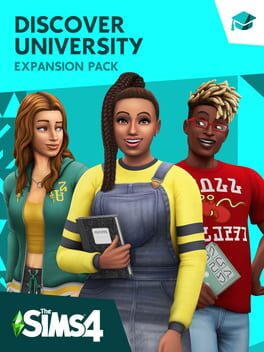
The Sims 4: Discover University
Explore all the experiences college has to offer. Take classes that set your Sims up for success in engineering, education or law careers. Discover robotics and ping-pong, or make some mischief pulling pranks against the rival school. Study hard, sleep in and high-five the school mascot – just make sure to keep those grades up!
Settle into School – Begin a new chapter for your Sim at the historical University of Britechester or the modern Foxbury Institute. Live in a dorm room or off-campus, explore Britechester on a bicycle, spend time in the student commons and have a study session at the library. Cheer on the student body at a school spirit event, and wear school colors to show your Sim’s pride.
Stay Classy – Enroll in a University and choose classes that pique your interest: biology, computer science, art history or even villainy. Attend a lecture or work on term papers and presentations – the more your Sim learns, the more successful they’ll be. Going to classes or blowing them off will affect your Sim’s grades, so time management is a must.
Meet, Mingle and Explore – How your Sim embraces college life is up to you. Study all night to finish homework or chill out and sleep in. With activities like juice pong, juggling a soccer ball and hanging out with roommates, taking a break has never been so fun!
Join school organizations like robotics, debate, art or even a mysterious secret society. As the year progresses, Sims become their best selves and discover who they’re meant to be.
Express Your Campus Style – Make your Sim’s space cozy with dorm room décor that reflects their personality. Develop their style in any way you choose – whether wearing late-for-class sweatpants or their best-self outfits, there’s always a way to show school spirit or impress a classmate.
Системные требования
Минимальные
- Нужны 64-битные процессор и операционная система
- ОС: 64 Bit Required. Windows 7 (SP1), Windows 8, Windows 8.1, or Windows 10
- Процессор: 1.8 GHz Intel Core 2 Duo, AMD Athlon 64 Dual-Core 4000+ or equivalent (For computers using built-in graphics chipsets, the game requires 2.0 GHz Intel Core 2 Duo, 2.0 GHz AMD Turion 64 X2 TL-62 or equivalent)
- Оперативная память: 4 ГБ ОЗУ
- Видеокарта: 128 MB of Video RAM and support for Pixel Shader 3.0. Supported Video Cards: NVIDIA GeForce 6600 или мощнее, ATI Radeon X1300 или мощнее, Intel GMA X4500 или мощнее
- DirectX: версия 9.0
- Сеть: Широкополосное подключение к интернету
- Место на диске: 16 ГБ свободного места
Рекомендуемые
- Нужны 64-битные процессор и операционная система
- ОС: 64 Bit Windows 7, 8, 8.1, or 10
- Процессор: Intel core i5 or faster, AMD Athlon X4
- Оперативная память: 4 ГБ ОЗУ
- Видеокарта: NVIDIA GTX 650 или мощнее
- Сеть: Широкополосное подключение к интернету
- Место на диске: 18 ГБ свободного места
Отзывы
Вопросы о покупке
Где купить The Sims 4: Discover University?
Сейчас на GHub 2 предложения по The Sims 4: Discover University — Xbox, EA App. Цены — от 1 436 ₽, оплата картой в рублях.
Будет ли ключ The Sims 4: Discover University работать в России?
У ключей, которые продаются сейчас, стоит отметка «Нельзя активировать в РФ»: они активируются только в других странах. Список стран — на странице каждого лота.
Как активировать ключ The Sims 4: Discover University в Xbox?
Войдите в учётную запись Microsoft на консоли или на сайте microsoft.com/redeem. На консоли откройте Microsoft Store и выберите «Использовать код». Введите 25-значный код — покупка появится в «Мои игры и приложения». Шаги для других платформ — на странице каждого лота.
Как быстро придёт ключ?
У лотов с автоматической выдачей ключ приходит сразу после оплаты — в раздел «Покупки» и на почту. Если выдача ручная, срок продавец указывает в описании лота.
Что если ключ не подойдёт?
Деньги до подтверждения покупки остаются под защитой сделки. Если код не активируется, откройте спор в заказе — поддержка проверит ключ и вернёт деньги на карту, если проблема подтвердится.